
Discovering Trigonometric Ratios by Kim Kembitzky
Loading the math board and drawing, please wait…
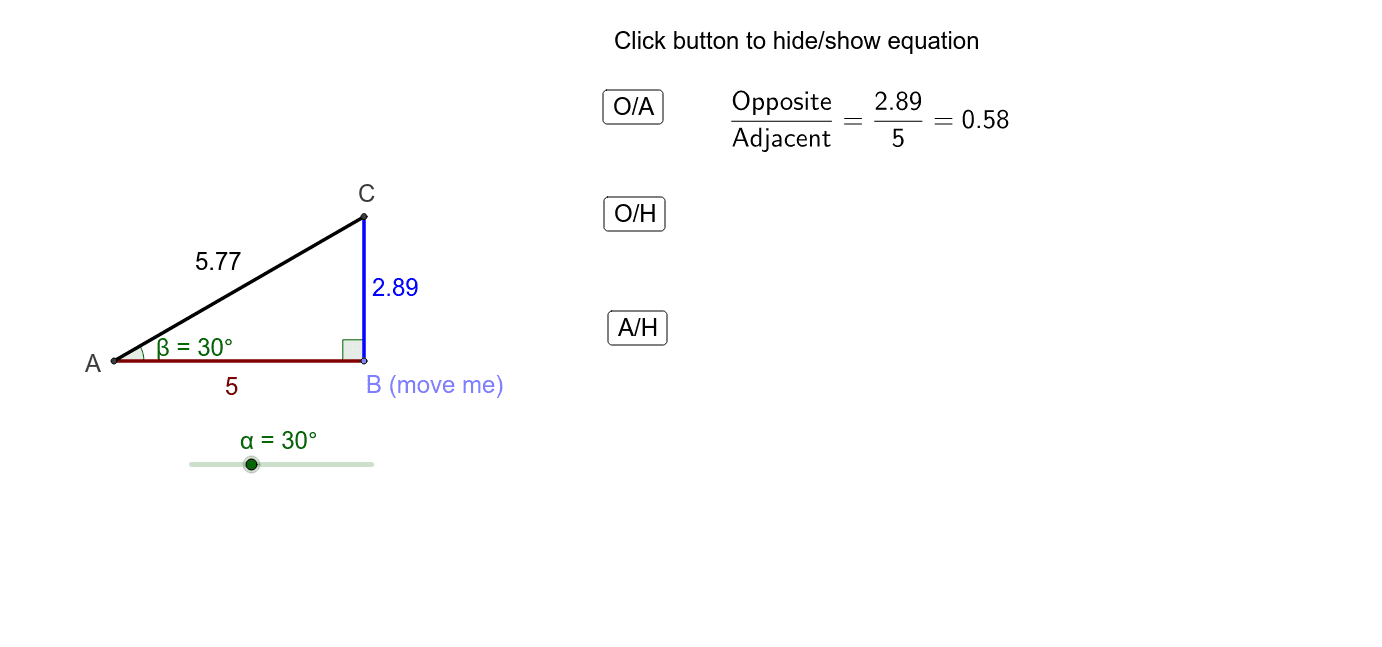
This GeoGebra example allows students to investigate how the ratios of a triangle's sides change (or remain constant) by adjusting the angle and triangle size. It dynamically demonstrates the fundamental concept of trigonometric ratios (sine, cosine, tangent) and their relationship to triangle similarity. Construction uses GeoGebra commands including Intersect, Point, Rotate, Angle, Line, OrthogonalLine, and Segment, with key points A, B, α, β, γ, and sides a, b, c. Suitable for middle and high school mathematics, it helps build intuitive understanding of trigonometric definitions through interactive exploration.
GeoGebra Commands & Parameters
Intersect(xAxis, yAxis) → APoint(xAxis) → BRotate(B, α, A) → B'Angle(B, A, B') → βLine(B', A) → aOrthogonalLine(B, xAxis) → bIntersect(a, b) → CSegment(A, B) → cSegment(B, C) → dSegment(C, A) → eAngle(C, B, A) → γ
AI Drawing Prompt Reference
Draw a right triangle with one acute angle adjustable, dynamically showing how the ratios of the triangle's sides change as the angle is adjusted, label the two acute angles and the hypotenuse, display a line perpendicular to the horizontal axis, the intersection points form a triangle, and dynamically show the measures of the three angles and the lengths of the three sides.
The prompt above was compiled from the original drawing commands and is for reference only.