
Discovering Quadrilaterals, Parallelograms, and Rectangles
Loading the math board and drawing, please wait…
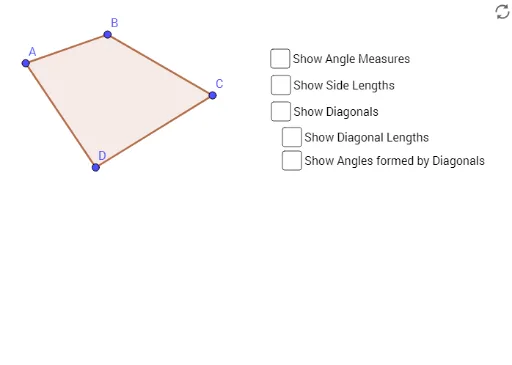
This example demonstrates how to construct quadrilaterals, parallelograms, and rectangles using GeoGebra and explore their geometric properties. Core math concepts include polygons, angles, segment lengths, and perimeters. Construction highlights involve commands and objects like Polygon, Angle, Segment, Intersect, Distance, Perimeter, PointIn, with points A, B, C, D, q1, α, β, γ, δ, etc. Suitable for middle school and above students for geometry learning and exploration.
GeoGebra Commands & Parameters
Polygon(A, B, C, D) → q1, a, b, c, dAngle(D, A, B) → αAngle(A, B, C) → βAngle(D, C, B) → γAngle(C, D, A) → δSegment(B, D) → fSegment(A, C) → gIntersect(f, g) → EDistance(B, E) → distanceBEPerimeter(q1) → perimeterq1PointIn(q1) → Pointq1_1Distance(D, E) → distanceDEDistance(A, E) → distanceAEDistance(C, E) → distanceCEPerimeter(q1) → iPointIn(q1) → Pointq1Distance(B, C) → distanceBCDistance(D, C) → distanceDCDistance(D, A) → distanceDADistance(A, B) → distanceABAngle(D, E, C) → εAngle(A, E, B) → ζAngle(B, E, C) → ηAngle(A, E, D) → θ
AI Drawing Prompt Reference
Draw a quadrilateral and label its four vertices. Measure and label the size of all four interior angles. Connect opposite sides to find their intersection point. Measure and label the lengths of opposite sides, the distances from the intersection point to each vertex, the perimeter of the quadrilateral, and the distances from the intersection point to each vertex. Finally, measure and label the sizes of the four new angles formed.
The prompt above was compiled from the original drawing commands and is for reference only.