
Dilations Using a Slider for the Scale Factor
Loading the math board and drawing, please wait…
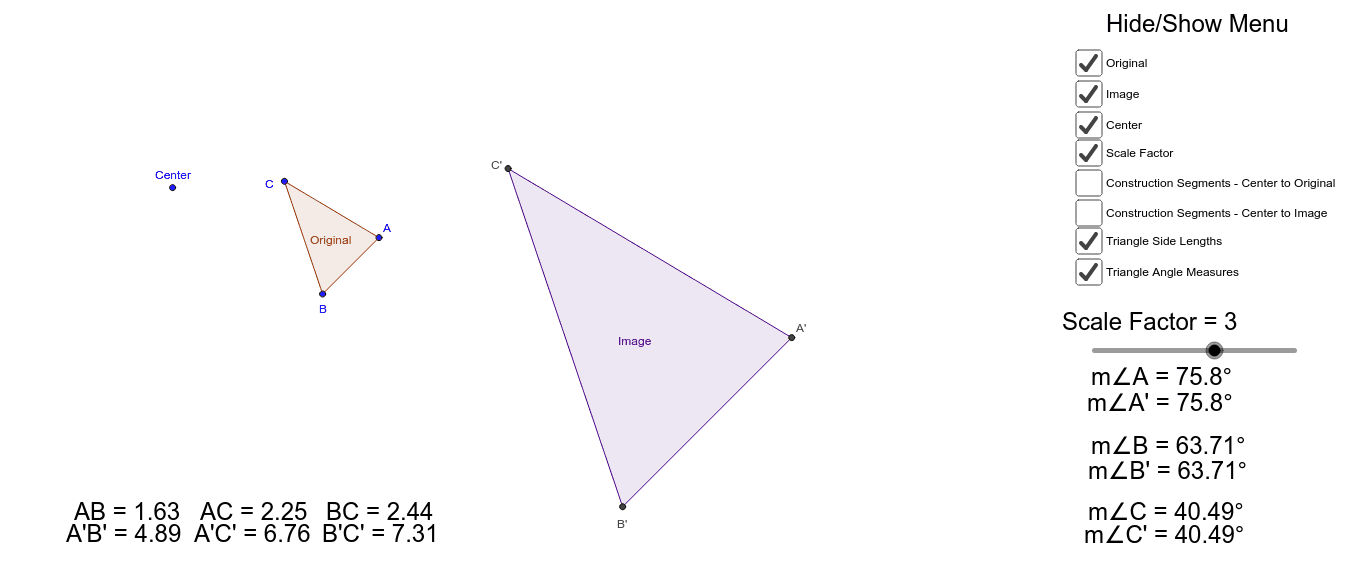
This applet uses a slider to adjust the scale factor, helping students understand the concept of geometric dilation. It involves key mathematical concepts such as area changes. The construction uses commands like Polygon, Intersect, Segment, and Angle. Suitable for students in middle school and above learning geometric transformations.
GeoGebra Commands & Parameters
Polygon(A, B, C) → Original, c, a, bPolygon(Dilate[A, ScaleFactor, Center], Dilate[B, ScaleFactor, Center], Dilate[C, ScaleFactor, Center]) → Image, d, e, fIntersect(d, f) → A'Intersect(e, f) → C'Intersect(d, e) → B'Segment(Center, A) → kSegment(Center, A') → lSegment(Center, B) → mSegment(Center, B') → nSegment(Center, C) → pSegment(Center, C') → qAngle(B', C', A') → αAngle(B, C, A) → βAngle(C', A', B') → γAngle(C, A, B) → δAngle(A, B, C) → εAngle(A', B', C') → ζ
AI Drawing Prompt Reference
Draw a geometric figure showing an original polygon and its image dilated by a scale factor controlled by a slider. Include the center point, vertices of the original and dilated polygons, and line segments connecting the center to each vertex. Also, display the angles formed at each vertex. Start by drawing the original and dilated polygons, then find the intersection points of the corresponding sides, connect the center to each vertex, and label all angles.
The prompt above was compiled from the original drawing commands and is for reference only.