
Dilation Page 9: Polygon Scaling and Intersection Exploration
Loading the math board and drawing, please wait…
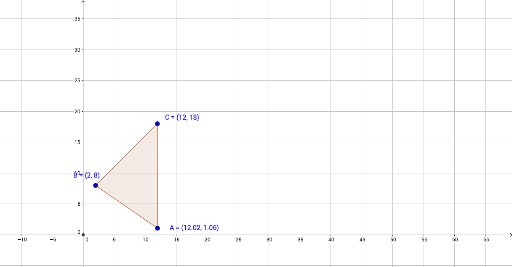
①This example demonstrates a dilation (scaling) transformation applied to a polygon in GeoGebra, with intersection points used to observe relationships between the original and transformed figures. ②Core mathematical concepts include homothety (dilation) in geometric transformations, coordinate changes of polygon vertices, and the geometric meaning of intersections, alongside statistical ideas such as expected value, arithmetic mean, variance, and percentages, potentially linking geometry with data analysis. ③Construction highlights: from the summary, the Polygon command creates polygon poly1 with vertices A, B, C, the Intersect command yields point D, and sides a, c, b are defined, forming an interactive scaling model. ④Suitable for middle or high school geometry lessons or math lab activities, helping students intuitively understand properties of dilation and relationships among geometric objects, and can also support integrated explorations combining statistics and geometry.
GeoGebra Commands & Parameters
Polygon(C, B, A) → poly1, a, c, bIntersect(xAxis, yAxis) → D
AI Drawing Prompt Reference
Draw a triangle with three vertices, then apply a scaling transformation to create a similar larger or smaller triangle. Connect corresponding vertices of the original and scaled triangles with straight lines to show the dilation center and ratio. Also mark the intersection point of the x-axis and y-axis as a reference origin. The figure should include the original triangle, the scaled triangle, the connecting lines, and the coordinate axes with the intersection point, to illustrate how the shape changes in size and position under scaling.
The prompt above was compiled from the original drawing commands and is for reference only.