
Dilation of a Segment
Loading the math board and drawing, please wait…
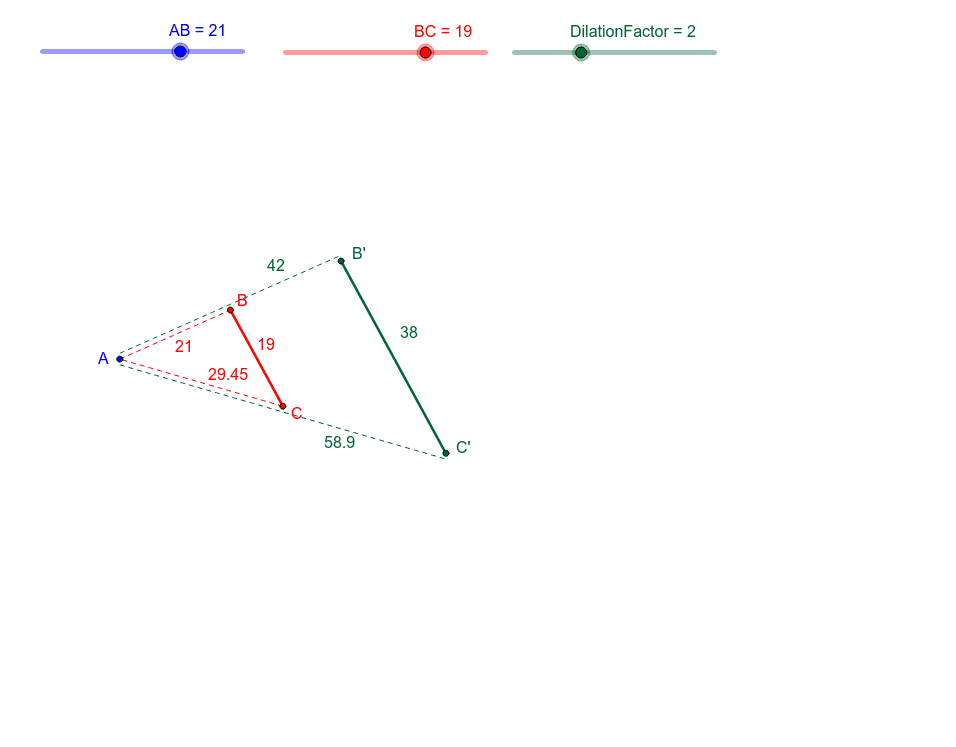
① This example demonstrates the dilation (scaling) of a segment around a fixed point (the center of dilation), allowing students to visually explore how the segment's position, length, and orientation change under the transformation. ② The core mathematical concept is dilation, a type of similarity transformation, involving the center of dilation, a scale factor (DilationFactor), corresponding points (e.g., B' and C'), and the relationship between the original and transformed segments. ③ Construction details: The GeoGebra commands used include Circle (to construct auxiliary circles), Point (to define the center and endpoints), Segment (to construct the original segment), and Dilate (to perform the dilation). Key objects include A, B, C, DilationFactor, A2, A3, BC, AB, c, d, e, f, g, with B' and C' as the dilated points and b' as the transformed segment. ④ This is suitable for upper middle school or high school geometry classes, helping students understand similarity transformations, the role of the center and scale factor, and can serve as an interactive demonstration for exploring dilation properties.
GeoGebra Commands & Parameters
Circle(A, AB) → cPoint(c) → BCircle(B, BC) → dPoint(d) → CSegment(A, B) → aSegment(B, C) → bSegment(C, A) → eDilate(B, DilationFactor, A) → B'Dilate(C, DilationFactor, A) → C'Segment(B', C') → b'Segment(A3, C2) → fSegment(A2, B2) → g
AI Drawing Prompt Reference
Draw a segment AB, then dilate it around point A with a scaling factor controlled by a slider to get segment A'B'. Next, draw segment BC and dilate it around point A to get segment B'C'.
The prompt above was compiled from the original drawing commands and is for reference only.