
Dilation of a Bee: Exploring Scaling and Symmetry in GeoGebra
Loading the math board and drawing, please wait…
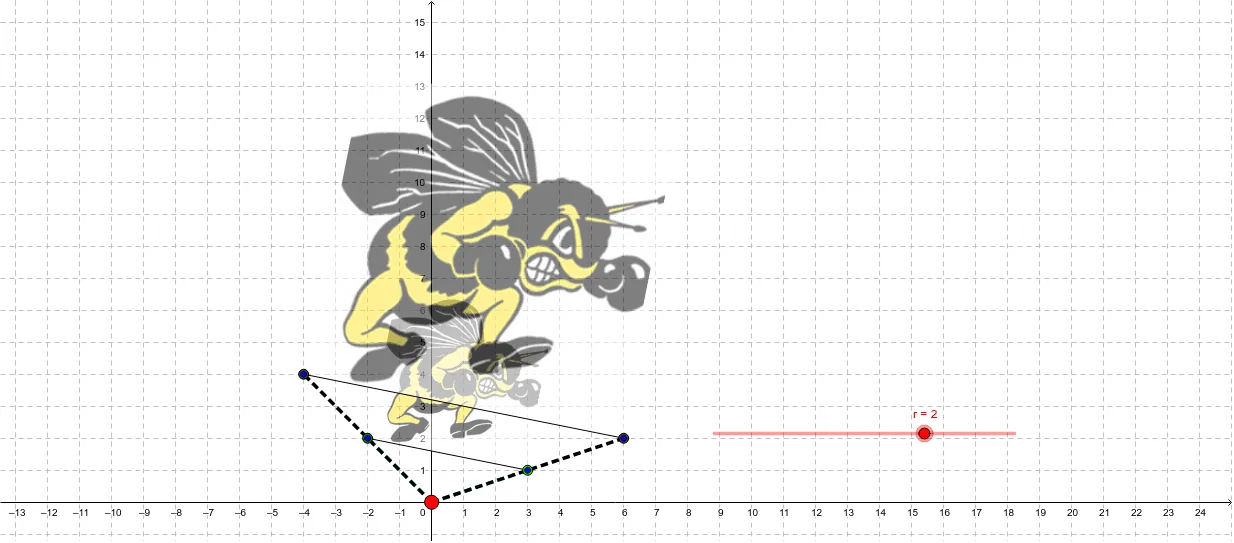
① This example demonstrates the dilation (scaling) of a bee image, showing how geometric figures change under a homothety centered at a point, while also incorporating symmetry and trigonometric elements for an engaging visual. ② Core mathematical concepts include dilation (homothety), linear equations, trigonometric functions, symmetry, multiplication, and combinatorial thinking, with emphasis on how the scale factor affects size and position relative to the center. ③ Construction highlights: using GeoGebra's Segment command to create multiple auxiliary segments (objects a–h, r) and defining numerous points (A, C, D, E, F, G, H, I, J, K, L, M, O, P, Q, R) as control points; embedding bee images via picture objects (pic1, pic2) and using sliders or parameters to control the scaling ratio for dynamic transformation. ④ Suitable for middle and high school geometry lessons, especially for teaching transformations, symmetry, and the interplay between algebra and geometry, as well as for math enrichment activities.
GeoGebra Commands & Parameters
Segment(A, C) → iSegment(A, D) → jSegment(A, L) → pSegment(A, M) → qSegment(C, D) → kSegment(L, M) → l