
Solving Multiplication Equations with Scales
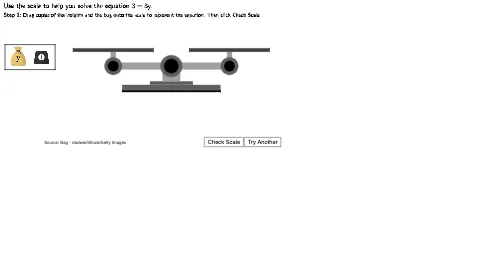
Loading the math board and drawing, please wait…
This example demonstrates how to solve multiplication equations using a balance scale model through dynamic manipulation. Key math concepts include equation balancing, multiplication inverse operations, and geometric visualization. GeoGebra commands and objects used in construction include Polygon, Circle, Random, Textfield, Frequency, and objects like ScaleBottom1, ScaleArm, etc., representing pans and levers of the scale. Suitable for middle school and above students to understand the visual model of equation solving and its geometric interpretation.
GeoGebra Commands & Parameters
Polygon((2.75, 1.95), (2.75, 2.05), (8.25, 2.05), (8.25, 1.95)) → ScaleBottom1, f, g, h, iPolygon((4.3, 2.35), (4.3, 2.55), (6.7, 2.55), (6.7, 2.35)) → ScaleBottom3, n, p, q, rPolygon((5, 2.55), (5, 3.25), (6, 3.25), (6, 2.55)) → ScaleBottom4, s, t, d, ePolygon((2.75, 2.05), (2.75, 2.35), (8.25, 2.35), (8.25, 2.05)) → ScaleBottom2, j, k, l, mPolygon(Left + (0, 0.2), Left - (0, 0.2), Right - (0, 0.2), Right + (0, 0.2)) → ScaleArm, f_1, g_1, h_1, i_1Circle(Left, 0.5) → LeftArmCircle1Circle(Left, 0.3) → LeftArmCircle2Circle(Right, 0.5) → RightArmCircle1Circle(Right, 0.3) → RightArmCircle2Polygon(Left - (0.15, 0), Left + (0.15, 0), Left + (0.15, 0.8), Left + (-0.15, 0.8)) → LeftArmStand, j_1, k_1, l_1, m_1Polygon(Right - (0.15, 0), Right + (0.15, 0), Right + (0.15, 0.8), Right + (-0.15, 0.8)) → RightArmStand, n_1, p_1, q_1, r_1Polygon(Left + (-2.25, 0.8), Left + (-2.25, 1), Left + (2.25, 1), Left + (2.25, 0.8)) → LeftTray, s_1, t_1, a_1, b_1Polygon(Right + (-2.25, 0.8), Right + (-2.25, 1), Right + (2.25, 1), Right + (2.25, 0.8)) → RightTray, c_1, d_1, e_1, f_2Circle((5.5, 3.4), 0.6) → ScaleBottom5Circle((5.5, 3.4), 0.4) → ScaleBottom6Random(1, 2) → sideorderPolygon((-3.8, 4.6), (-1, 4.6), (-1, 3.2), (-3.8, 3.2)) → ImageBox, c, g_2, h_2, i_2Textfield(usertext) → InputBox1Frequency(Sort[Insert[{0, 1, 2}, WeightLocator, -1]]) → WeightOccurencesFrequency(Sort[Insert[{0, 1, 2}, BagLocator, -1]]) → BagOccurences
AI Drawing Prompt Reference
Draw a balance scale model for solving multiplication equations. The base consists of several stacked rectangles. A horizontal arm sits on top, supported by two vertical stands with circular joints at each end. Each end has a tray holding random weights and unknown bags. An input box allows adjusting values to keep the scale balanced. Use simple geometric shapes like rectangles, circles, and a text field, with a clean layout for educational purposes.
The prompt above was compiled from the original drawing commands and is for reference only.