
Dilation Focus: Geometric Transformation & Shape Exploration
Loading the math board and drawing, please wait…
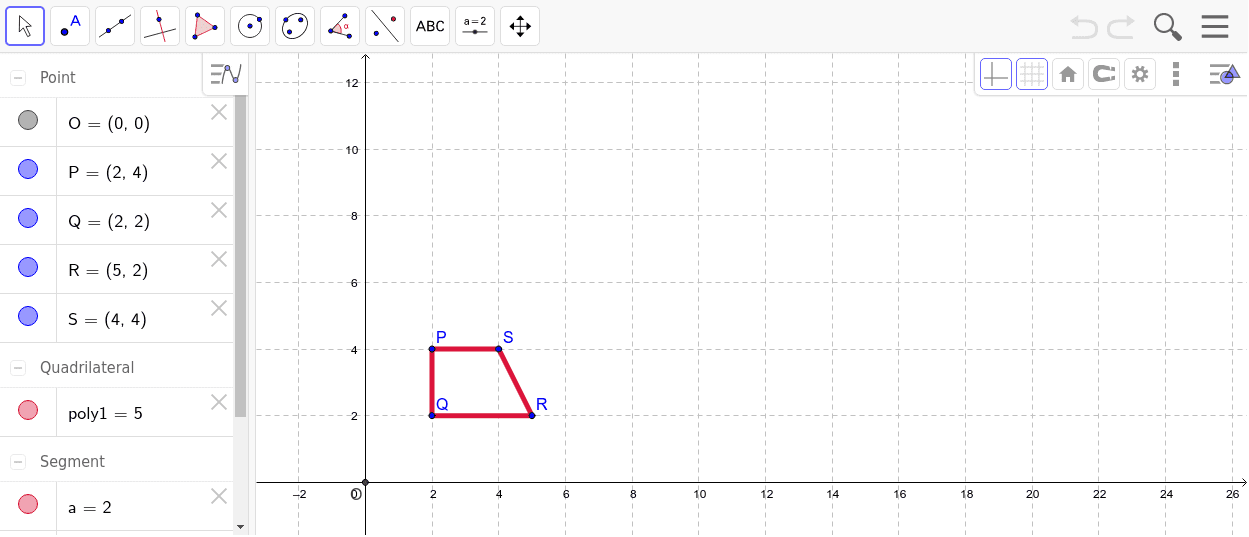
This GeoGebra example demonstrates the application of dilation on a coordinate plane, focusing on how shapes change under scaling with a given center point. Key mathematical concepts include the scale factor, center coordinates, similarity, and relationships between pre-image and image side lengths and area. Construction uses GeoGebra commands Polygon and Intersect, with objects such as vertices Q, P, S, R, base polygon poly1, and vectors a, b, c, d defining the scale factor along with center point O. Suitable for middle to high school geometry units on transformations, it provides an intuitive way for students to explore dilation properties and understand transformation-based shape reconstruction.
GeoGebra Commands & Parameters
Polygon(Q, P, S, R) → poly1, a, b, c, dIntersect(xAxis, yAxis) → O
AI Drawing Prompt Reference
Draw a quadrilateral on a coordinate plane and label its vertices. Find the intersection of the x and y axes to determine the center point. Then, create a similar, scaled version of the quadrilateral based on this center point to illustrate how shapes change under dilation. Use vectors to represent the scale factor and highlight the proportional relationships between corresponding side lengths of the original and new quadrilaterals, as well as the change in area, to explore concepts of similarity and transformation.
The prompt above was compiled from the original drawing commands and is for reference only.