
Dilation Exploration by Chris Hulitt
Loading the math board and drawing, please wait…
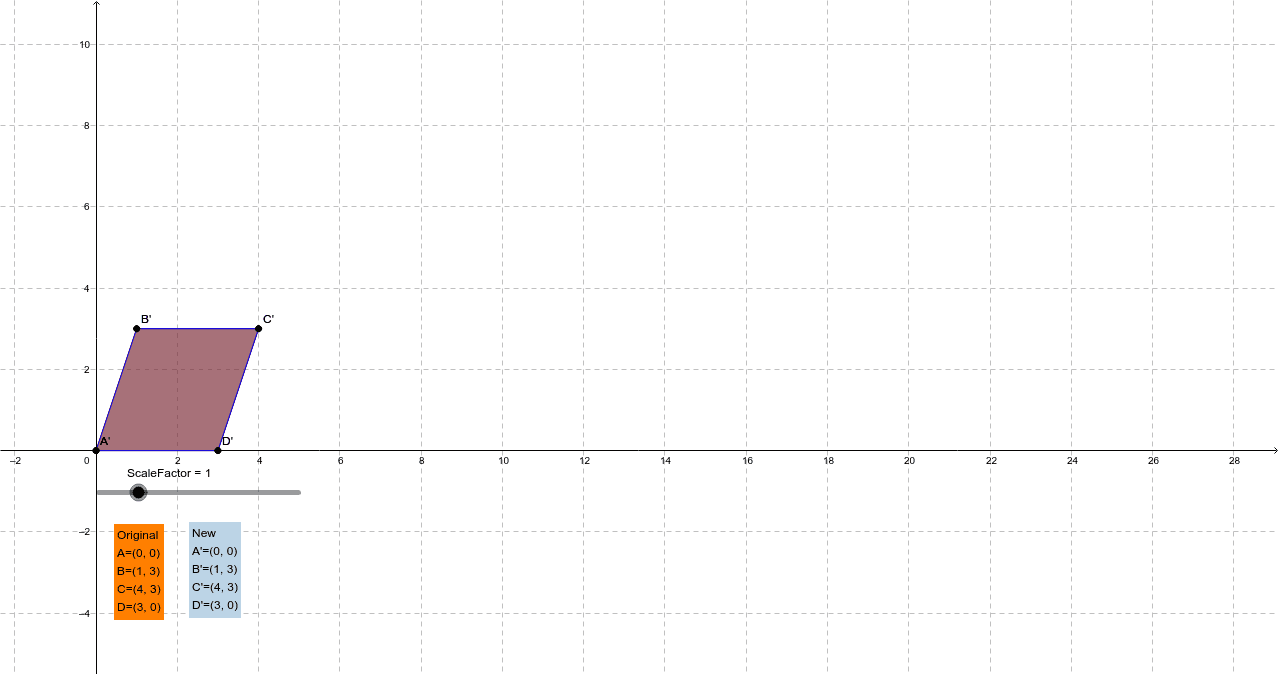
This example demonstrates geometric dilation using a slider, illustrating transformations, similarity, and proportional relationships. It constructs and dynamically scales shapes using GeoGebra commands like Intersect, Point, Polygon, and Dilate, suitable for middle school and beyond in geometry and probability/statistics education.
GeoGebra Commands & Parameters
Intersect(xAxis, yAxis) → APoint(xAxis) → DPolygon(A, B, C, D) → Original, a, b, c, dDilate(A, ScaleFactor, A) → A'Dilate(B, ScaleFactor, A) → B'Dilate(C, ScaleFactor, A) → C'Dilate(D, ScaleFactor, A) → D'Polygon(A', B', C', D') → New, a', b', c', d'
AI Drawing Prompt Reference
Draw a rectangle ABCD, then use a slider to dilate the rectangle around point A, observing the similarity and proportional changes between the original and the dilated shapes.
The prompt above was compiled from the original drawing commands and is for reference only.