
Rotation Exploration by Chris Hulitt
Loading the math board and drawing, please wait…
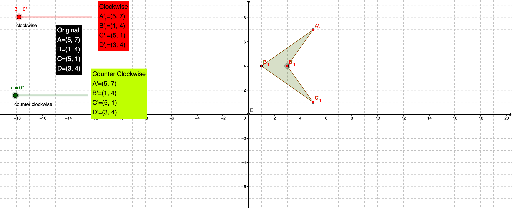
This example demonstrates the effects and rules of geometric rotation, involving core concepts like rotation, coordinate transformation, and special points. It utilizes GeoGebra commands such as Intersect, Polygon, and Rotate as highlighted in the construction summary, making it suitable for middle school and above in teaching geometric transformations.
GeoGebra Commands & Parameters
Intersect(xAxis, yAxis) → EPolygon(A, B, C, D) → poly1, a, b, c, dRotate(A, α, E) → A'Rotate(B, α, E) → B'Rotate(C, α, E) → C'Rotate(D, α, E) → D'Polygon(A', B', C', D') → poly1', a', b', c', d'Rotate(A, (-β), E) → A'_1Rotate(B, (-β), E) → B'_1Rotate(C, (-β), E) → C'_1Rotate(D, (-β), E) → D'_1Polygon(A'_1, B'_1, C'_1, D'_1) → poly1'_1, a'_1, b'_1, c'_1, d'_1
AI Drawing Prompt Reference
Draw a polygon formed by four points and show the intersection point of the coordinate axes. Rotate the original polygon around this intersection point by an angle α in the clockwise direction to get a new rotated polygon. Then, rotate the original polygon around the same intersection point by an angle β in the counterclockwise direction to obtain another rotated polygon. Display all three polygons clearly, indicating the rotation center and direction.
The prompt above was compiled from the original drawing commands and is for reference only.