
Diagonals of Rectangle
Loading the math board and drawing, please wait…
In collections
Diagonals of Quadrilaterals
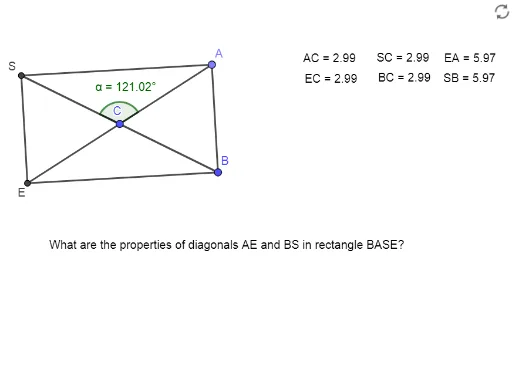
This example demonstrates the properties of a rectangle's diagonals. Key mathematical concepts include geometry, diagonals, distances, and angles. Using GeoGebra commands such as Circle, Line, Intersect, Point, Segment, Angle, and Distance, the construction of a rectangle and its diagonals is illustrated. Suitable for middle school and above students for geometric construction.
GeoGebra Commands & Parameters
Circle(C, B) → cLine(B, C) → fIntersect(c, f, 2) → SPoint(c) → ALine(A, C) → gIntersect(c, g, 2) → ESegment(S, E) → hSegment(B, E) → iSegment(B, A) → jSegment(A, S) → kSegment(S, B) → lSegment(A, E) → mAngle(A, C, S) → αDistance(A, C) → distanceDADistance(B, C) → distanceBADistance(E, C) → distanceEADistance(S, C) → distanceCADistance(S, B) → distanceCBDistance(E, A) → distanceED
AI Drawing Prompt Reference
Draw a circle and pick a point on it as one vertex of a rectangle, with the circle's center as another vertex. Draw a line from the center to that point, intersecting the circle again to get a third vertex. Then pick another point on the circle, connect it to the center, and intersect the circle to get the fourth vertex. Connect these four vertices in order to form a rectangle. Then draw the two diagonals of the rectangle, mark the angle at their intersection, and measure the distances from each vertex to the center and to the diagonal endpoints.
The prompt above was compiled from the original drawing commands and is for reference only.