
Derivative maximum problem - part 2
Loading the math board and drawing, please wait…
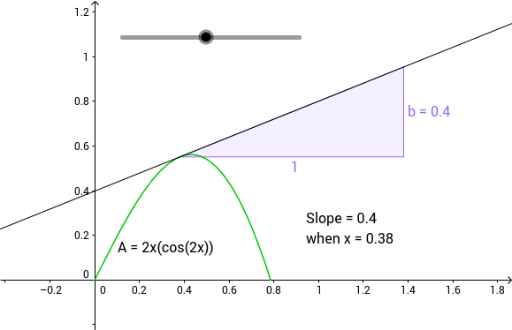
This example demonstrates how to construct and analyze the maximum value of a derivative using GeoGebra. Core math concepts include derivatives, means, cubes, box plots, isosceles triangles, and step functions. Construction highlights involve GeoGebra commands like Intersect, Tangent, and Slope, with objects such as function f, parameter a, auxiliary function g, area A, height h, side b, and text elements text1, text2, text3. Suitable for high school calculus education, focusing on the practical application of derivatives in optimization problems.
GeoGebra Commands & Parameters
Intersect(f, g, (0.38, 0.5508753681630879)) → ATangent(A, f) → hSlope(h) → b
AI Drawing Prompt Reference
Draw a function and its derivative. Mark a point on the derivative, then draw the tangent line at that point. Measure the slope of the tangent line and find the point on the function where the slope equals this value. Connect these two points and analyze their relationship.
The prompt above was compiled from the original drawing commands and is for reference only.