
Derivative as Function Demo
Loading the math board and drawing, please wait…
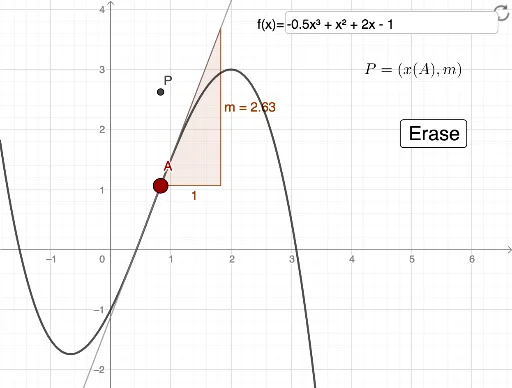
This example demonstrates how to dynamically visualize the derivative of a function at a specific point. Key math concepts include derivatives, differential calculus, tangent slope, and Pythagorean theorem. It uses GeoGebra commands/objects like Point, Textfield, Tangent, and Slope. Suitable for high school and above students learning basic calculus concepts.
GeoGebra Commands & Parameters
Point(f) → ATextfield(f) → InputBox1Tangent(A, f) → kSlope(k) → m
AI Drawing Prompt Reference
Draw a graph of a function with a draggable point on it. At that point, construct the tangent line to the curve and display its slope value. Include an input box so the user can change the function expression, and the graph updates accordingly. The scene visually demonstrates the derivative at a point as the tangent slope, showing how the slope changes as the point moves along the curve.
The prompt above was compiled from the original drawing commands and is for reference only.