
Demonstration of Orthocenter and Isosceles Triangle
Loading the math board and drawing, please wait…
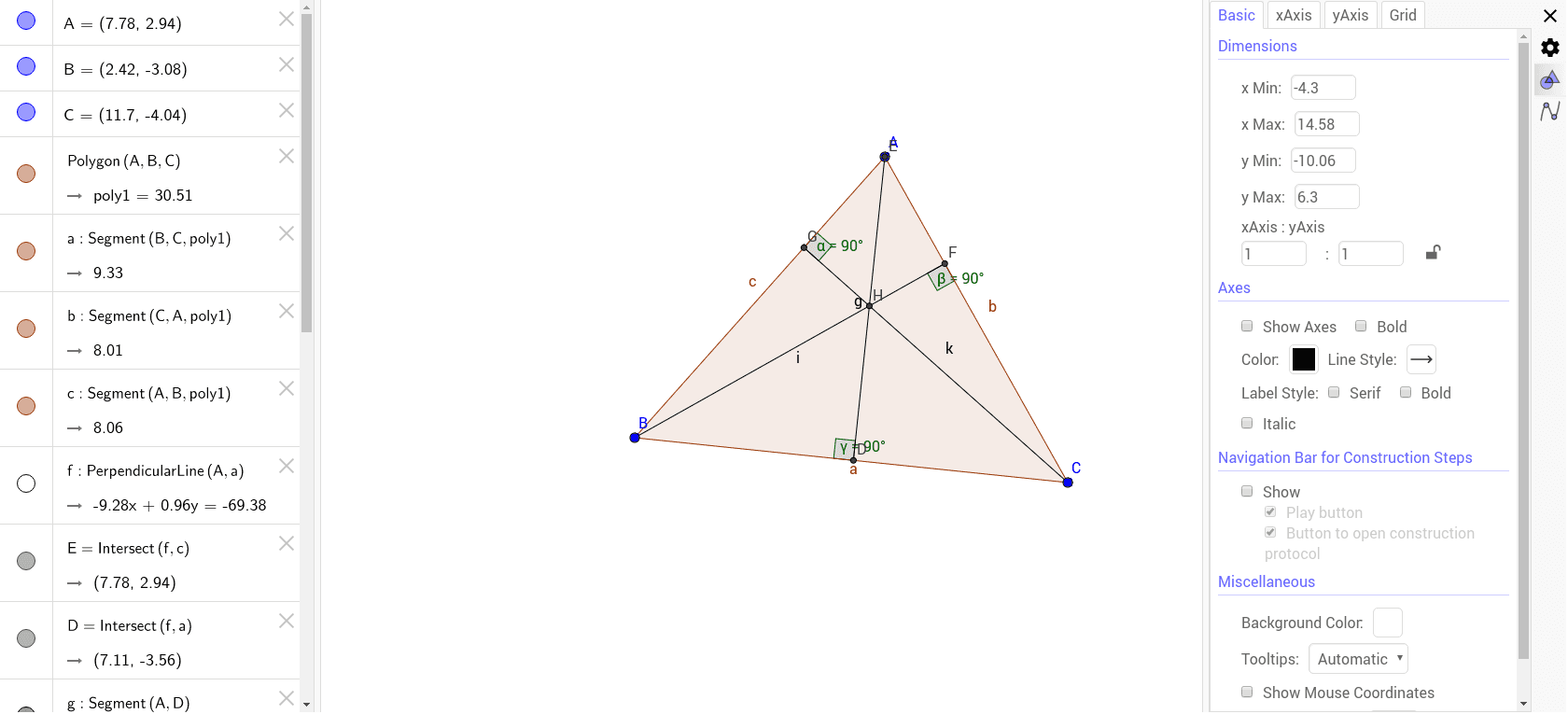
This example demonstrates the geometric properties of the orthocenter of a triangle, especially its behavior in isosceles triangles. Key math concepts include orthocenter, isosceles triangles, vectors, and coordinate geometry. It is constructed using commands like Polygon, OrthogonalLine, Intersect, Segment, and Angle in GeoGebra. Suitable for high school mathematics education to understand triangle geometry and vector applications.
GeoGebra Commands & Parameters
Polygon(A, B, C) → poly1, c, a, bOrthogonalLine(A, a) → fIntersect(f, c) → EIntersect(f, a) → DSegment(A, D) → gOrthogonalLine(B, b) → hIntersect(h, b) → FSegment(B, F) → iOrthogonalLine(C, c) → jIntersect(j, c) → GSegment(C, G) → kIntersect(i, k) → HAngle(H, G, A) → αAngle(H, F, C) → βAngle(H, D, B) → γ
AI Drawing Prompt Reference
Draw an arbitrary triangle with three vertices. From each vertex, draw a perpendicular line to the opposite side, creating three altitudes. Each altitude intersects its opposite side at a foot point. Connect each vertex to its corresponding foot point with a segment. The three altitudes intersect at a common point, the orthocenter. Finally, mark three angles at the orthocenter with each foot point and vertex, illustrating the relationships. The figure should clearly show the orthocenter and the altitude segments within the triangle.
The prompt above was compiled from the original drawing commands and is for reference only.