
Demonstrating Plane Orientation in GeoGebra
Loading the math board and drawing, please wait…
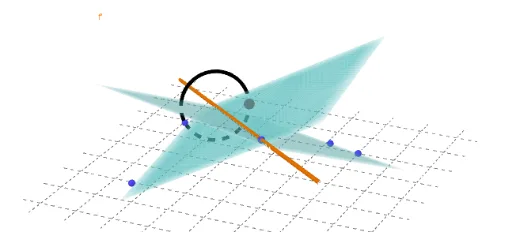
This example demonstrates how to create and manipulate oriented planes in GeoGebra. The core mathematical concepts involved include plane representation, direction vectors, and intersection calculations. Key GeoGebra commands used are Plane, IntersectPath, Rotate, and Circle. It is suitable for high school students and teachers learning spatial geometry and vector mathematics, helping to understand the geometric properties and calculations of planes.
GeoGebra Commands & Parameters
Plane(A, B, C) → aPlane(C, D, E) → bIntersectPath(a, b) → fRotate(E, t, f) → E'Plane(E, D, C) → b'IntersectPath(a, b') → f'Rotate(E, t, f') → E'_1Circle(f, E) → c