
Demonstrating Complex Number Multiplication
Loading the math board and drawing, please wait…
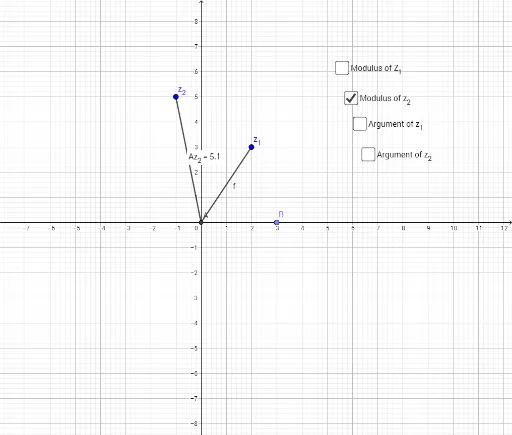
This example demonstrates the multiplication of two complex numbers and its geometric interpretation. Key math concepts include the algebraic representation of complex numbers, their geometric meaning, and the effect of multiplication on magnitude and angle. Construction highlights the use of GeoGebra commands like Intersect, Segment, Point, Angle, Distance, Midpoint, involving objects such as z_1, z_2, A, f, g, B, α, β, distanceAz1, TextAz1, distanceAz2, TextAz2, a, b, c, d. Suitable for high school mathematics education to visualize the behavior of complex multiplication.
GeoGebra Commands & Parameters
Intersect(xAxis, yAxis) → ASegment(A, z_1) → fSegment(A, z_2) → gPoint(xAxis) → BAngle(B, A, z_1) → αAngle(B, A, z_2) → βDistance(A, z_1) → distanceAz1Midpoint(A, z_1) →Distance(A, z_2) → distanceAz2Midpoint(A, z_2) →
AI Drawing Prompt Reference
In a coordinate plane, draw two line segments from the origin to two complex-number points, representing two complex numbers. Place a point on the horizontal axis to serve as an angle reference. Measure and label the distances from the origin to each complex point, and the angles between each segment and the positive horizontal axis. Also mark the midpoint of each segment. The figure illustrates how multiplication of complex numbers affects magnitude and angle, suitable for high school geometry teaching.
The prompt above was compiled from the original drawing commands and is for reference only.