
Definition of Complementary Angles - Interactive Applet
Loading the math board and drawing, please wait…
In collections
Some terms & definitions. Angles, angle pairs, angle measure
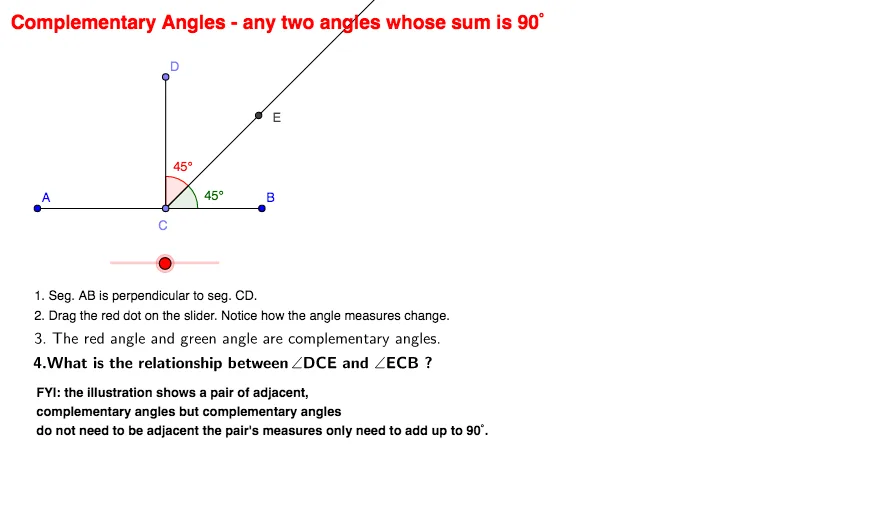
This GeoGebra applet provides an interactive demonstration of the definition of complementary angles: two angles whose measures sum to 180 degrees (a straight angle). The core mathematical concept is angle measurement and the complementary relationship between angles. The construction uses GeoGebra commands such as Line, Point, OrthogonalLine, Segment, Rotate, Angle, and Ray to build the geometric figure. Points and lines define the angle vertices and sides, while the Rotate command allows dynamic adjustment of angle sizes. The Angle tool displays the measured values, and text objects (text1, text2) show the current angle measures and their sum in real time. This applet is suitable for middle school or high school geometry lessons, enabling students to drag points or use sliders to explore how changing one angle affects the other while their sum remains 180 degrees, thereby reinforcing the definition of complementary angles.
GeoGebra Commands & Parameters
Line(A, B) → aPoint(a) → COrthogonalLine(C, a) → bSegment(A, B) → dPoint(b) → DSegment(C, D) → eRotate(D, (-α), C) → EAngle(E, C, D) → βRay(C, E) → cAngle(B, C, E) → γ