
Cylinder vs Cone Volume Comparison
Loading the math board and drawing, please wait…
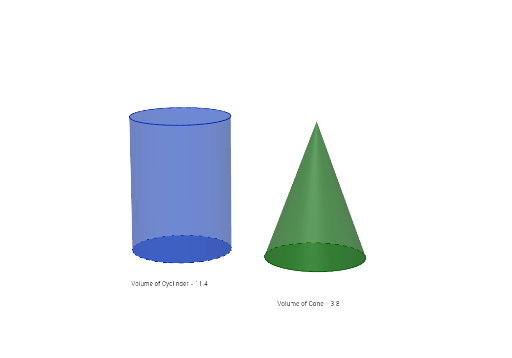
This example demonstrates the comparison of volumes between a cylinder and a cone. It involves core math concepts like volume formulas, proportional relationships, power functions, and fractions. GeoGebra commands and objects used include Point, Circle, Cylinder, Area, Vector, Translate, Cone, Segment, Circumference, PointIn, Volume. Suitable for middle school and above students to understand solid geometry volume calculations and function relationships, as well as exploring power function properties.
GeoGebra Commands & Parameters
Point({r, 0, 0}) → BCircle(zAxis, B) → cCylinder(c, h) → a, d, bArea(c) → ePoint({0, t, 0}) → APoint({0, 0, 0}) → OVector(O, A) → uTranslate(c, u) → d'Cone(d', h) → f, g, iSegment(O, B) → jCircumference(d) → circumferencedPointIn(d) → PointdCircumference(d') → circumferenced'PointIn(d') → Pointd'Volume(a) → volumeaPointIn(b) → PointbVolume(f) → volumefPointIn(i) → PointiTranslate(C, u) → C'
AI Drawing Prompt Reference
Create a 3D solid geometry figure comparing the volumes of a cylinder and a cone. Start by drawing a circle on the coordinate plane as the base, then extrude it vertically to form a cylinder. Next, translate the same circle horizontally by a certain distance, and use this translated circle as the base to construct a cone with the same height as the cylinder. Both solids share the same base radius and height. Connect the center of the cylinder's base to a point on its circumference with a line segment, and display the volume values for both the cylinder and the cone. The layout should clearly show the spatial relationship between the two solids for easy volume comparison.
The prompt above was compiled from the original drawing commands and is for reference only.