
Cylinder Volume Calculation Demo
Loading the math board and drawing, please wait…
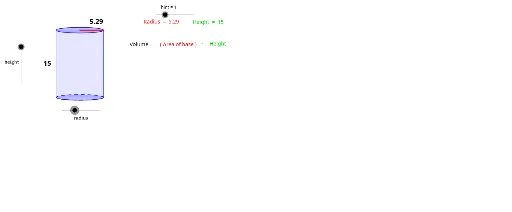
This example demonstrates the calculation method and geometric meaning of cylinder volume. Key math concepts include the cylinder volume formula, circle area, and spatial geometric transformations. Construction highlights involve GeoGebra commands like Intersect, Vector, Translate, Segment, Arc, Polygon, Root, and Midpoint. Suitable for high school solid geometry teaching or self-learning to understand the volume calculation principles.
GeoGebra Commands & Parameters
Intersect(c, xAxis, 1) → AIntersect(c, xAxis, 2) → BVector((-17, 0), ((-17), b)) → uTranslate(c, u) → dTranslate(A, u) → CTranslate(B, u) → DSegment(A, C) → eSegment(B, D) → fArc(c, A, B) → gPolygon(C, D, B, A) → P, c_1, d_1, b_1, a_1Intersect(xAxis, yAxis) → ESegment(E, B) → hTranslate(E, u) → E'Translate(B, u) → B'Segment(E', B') → iRoot(32) → FMidpoint(i) → GMidpoint(e) → H
AI Drawing Prompt Reference
Draw a cylinder to demonstrate volume calculation. Start with a circle and x-axis, finding their two intersections. Create a vector and use it to translate the circle and intersection points, forming new circles and points. Connect these to outline the cylinder's bases and lateral surface. Locate the origin, draw connecting segments, and mark the square root of the radius and height. Include midpoints of certain segments. The final image should show the cylinder with its geometric properties highlighted to illustrate volume principles.
The prompt above was compiled from the original drawing commands and is for reference only.