
Cylinder Volume Calculation Demo by Walid Fawzi
Loading the math board and drawing, please wait…
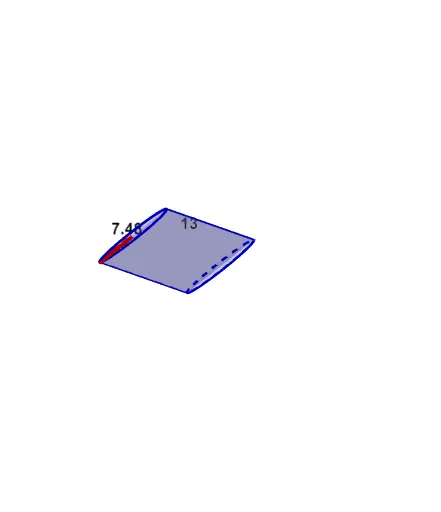
This example demonstrates the calculation method and formula derivation for the volume of a cylinder. It involves core mathematical concepts such as the cylinder volume formula, definite integral computation, and spatial geometry. Key GeoGebra commands used in construction include Intersect, Vector, Translate, Segment, Arc, Polygon, Root, and Midpoint to build the cylinder model and calculate its volume. Suitable for high school students and mathematics enthusiasts learning solid geometry and calculus.
GeoGebra Commands & Parameters
Intersect(c, xAxis, 1) → AIntersect(c, xAxis, 2) → BVector((-17, 0), (-17, b)) → uTranslate(c, u) → dTranslate(A, u) → CTranslate(B, u) → DSegment(A, C) → eSegment(B, D) → fArc(c, A, B) → gPolygon(C, D, B, A) → P, c_1, d_1, b_1, a_1Intersect(xAxis, yAxis) → ESegment(E, B) → hTranslate(E, u) → E'Translate(B, u) → B'Segment(E', B') → iRoot(32) → FMidpoint(i) → GMidpoint(e) → H
AI Drawing Prompt Reference
Draw a cylinder to demonstrate the calculation method and formula derivation for its volume. First, sketch the top and bottom circular faces of the cylinder, then connect corresponding points on these circles to form the lateral surface. Next, draw a rectangle inside the cylinder, aligning its base with the bottom circle and its top with the top circle, labeling the rectangle's length and width. Finally, illustrate the process of calculating the area of the rectangle changing with height through integration, visually showing the derivation of the cylinder's volume.
The prompt above was compiled from the original drawing commands and is for reference only.