
Cylinder Construction Demo by Stephanie Neul
Loading the math board and drawing, please wait…
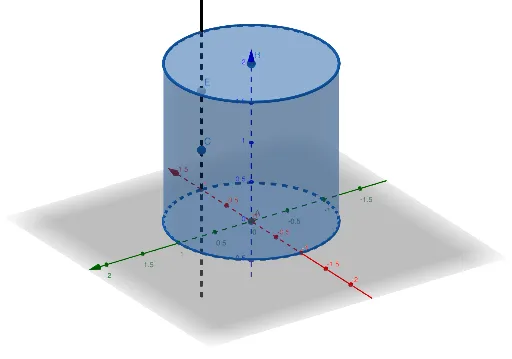
This example demonstrates the 3D geometric construction and properties of a cylinder, involving core concepts like solid geometry, spatial symmetry, angle calculations, and random variable distributions. It uses GeoGebra commands such as Intersect, Point, Cylinder, and Line, along with objects A, B, b, c, d, a, E, C, f for precise modeling. Suitable for high school students and math enthusiasts exploring spatial geometry and parametric properties.
GeoGebra Commands & Parameters
Intersect(yAxis, zAxis) → APoint(zAxis) → BCylinder(A, B, 1) → b, c, d, aLine(E, C) → f
AI Drawing Prompt Reference
Create a 3D cylinder with its base center at the intersection of the vertical axis and another coordinate axis, and its top center at a distinct point on the vertical axis. The cylinder has a radius of 1, with its lateral surface and both bases shown as semi-transparent or wireframe to reveal the interior. Draw a straight line starting from a point located near the cylinder's surface or base, oriented at an angle to the axis or base, to illustrate geometric properties such as symmetry or angle relationships. The overall composition should clearly display the cylinder's three-dimensional form, axis direction, and the spatial position of the auxiliary line.
The prompt above was compiled from the original drawing commands and is for reference only.