
Cylinder Construction by aarong
Loading the math board and drawing, please wait…
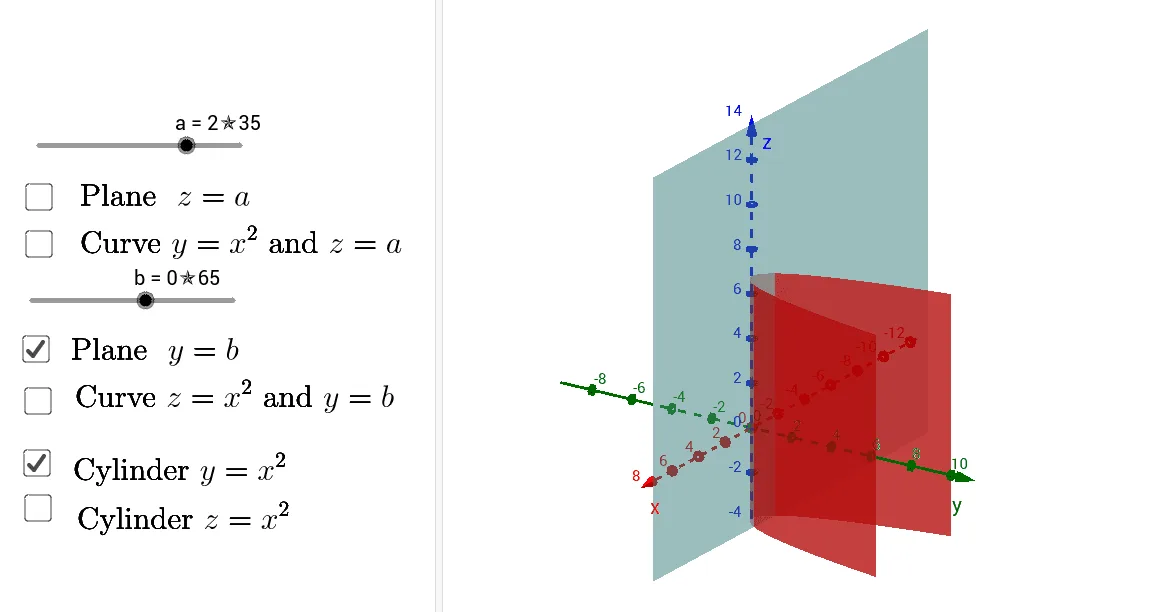
This example demonstrates how to construct a cylinder using GeoGebra. It involves core concepts of circles, solid geometry, and coordinate geometry. By using commands like Surface, CurveCartesian, and Point, users can dynamically adjust the parameters of the cylinder. Suitable for middle school and above students and teachers.
GeoGebra Commands & Parameters
Surface(u, u^(2), v, u, (-l), l, v, (-h), h) → cyl_ySurface(u, v, u^(2), u, (-l), l, v, (-h), h) → cyl_zCurveCartesian(u, u^(2), a, u, (-l), l) → cCurveCartesian(u, b, u^(2), u, (-l), l) → dPoint({0, b, 0}) → COrthogonalPlane(C, yAxis) → kPoint({sqrt(b), b, a}) → APoint({(-sqrt(b)), b, a}) → B
AI Drawing Prompt Reference
Draw a cylinder by first creating a circular base with center at the origin and radius b, and then generating the cylindrical side by rotation. Set the height of the cylinder to h. Then, draw two endpoints A and B of the cylinder, with A at (sqrt(b), b, a) and B at (-sqrt(b), b, a), where a is the height of the cylinder. Finally, draw a plane k perpendicular to the y-axis to serve as the base of the cylinder.
The prompt above was compiled from the original drawing commands and is for reference only.