
Cylinder and Cone Volume Comparison by Patricia Loy
Loading the math board and drawing, please wait…
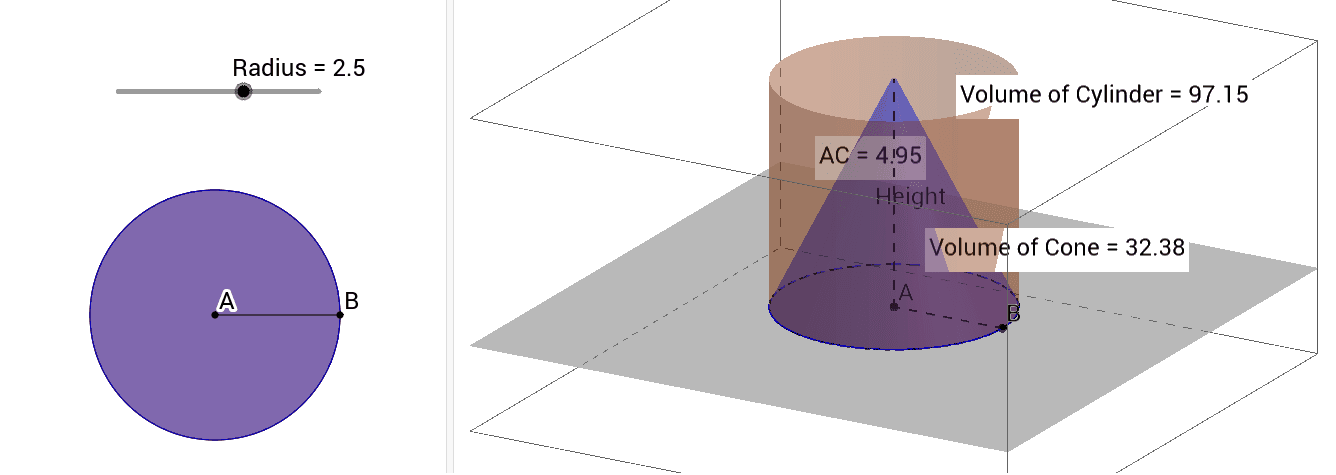
This example dynamically compares the volume relationships between a cylinder and a cone. It involves core math concepts like volume formulas and geometric properties. Construction uses commands such as Intersect, Circle, Point, Segment, Cylinder, Cone, Distance, Volume, and PointIn. Suitable for high school geometry education or visual understanding of 3D shapes.
GeoGebra Commands & Parameters
Intersect(xAxis, yAxis) → ACircle(A, Radius) → cPoint(c) → BSegment(A, B) → aPoint(zAxis) → CCylinder(A, C, Radius) → Cylinder, d, e, fCone(A, C, Radius) → Cone, h, iDistance(A, C) → distanceAHeightVolume(Cylinder) → volumebPointIn(f) → PointfVolume(Cone) → volumegPointIn(xOyPlane) → PointxOyPlane_1Volume(Cone) → jPointIn(xOyPlane) → PointxOyPlane_2Volume(Cone) → kPointIn(xOyPlane) → PointxOyPlane_3Volume(Cone) → lPointIn(xOyPlane) → PointxOyPlaneVolume(Cone) → mPointIn(i) → PointiSegment(A, C) → Height
AI Drawing Prompt Reference
Draw a cylinder and a cone sharing the same base and apex, with the base being a circle and the apex on a line perpendicular to the base. Show the volumes of the cylinder and cone, and mark several points on the base, dividing it into segments such that the length of each segment corresponds to the volume ratio of the cylinder. Finally, label the height of the cylinder and cone, and display the relationship between their heights and volumes.
The prompt above was compiled from the original drawing commands and is for reference only.