
Custom Cuboid
Loading the math board and drawing, please wait…
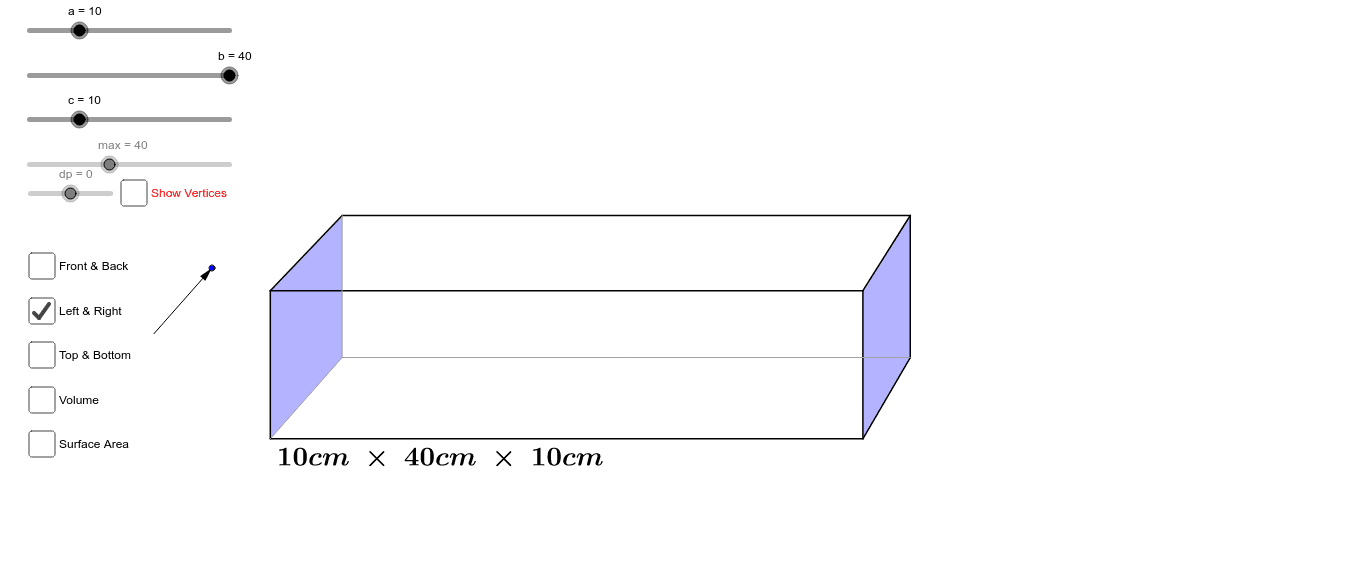
This example demonstrates how to adjust the length, width, and height of a cuboid using sliders, and highlights the top, bottom, left, right, front, and back faces as desired. It involves core mathematical concepts such as solid geometry, volume calculation, surface area calculation, and the visual representation of three-dimensional shapes. The construction utilizes GeoGebra commands/objects like Segment, OrthogonalLine, Intersect, Ray, Circle, Line, Vector, and Polygon. It is suitable for high school students learning solid geometry and geometric construction, or for classroom demonstrations.
GeoGebra Commands & Parameters
Segment(A, C) → iSegment(A, B) → dOrthogonalLine(B, d) → eOrthogonalLine(C, i) → fIntersect(e, f) → DSegment(D, C) → gSegment(D, B) → hRay(C, E) → pRay(D, E) → qRay(B, E) → rCircle(D, (0.6 * c)) → sIntersect(s, q) → I,Line(I, h) → jLine(I, g) → kIntersect(j, r) → FIntersect(k, p) → GSegment(F, I) → lSegment(I, G) → mSegment(F, B) → nSegment(I, D) → tSegment(G, C) → a_1Line(G, l) → b_1Line(F, m) → c_1Intersect(c_1, b_1) → HSegment(F, H) → d_1Segment(H, G) → e_1Segment(H, A) → f_1Vector(J, K) → uPolygon(F, I, G, H) → poly1, f_2, i_1, g_1, h_1Polygon(B, D, C, A) → poly2, b_2, d_2, c_2, a_2Polygon(F, B, A, H) → poly3, f_3, b_3, a_3, h_2Polygon(I, D, C, G) → poly4, i_2, d_3, c_3, g_2Polygon(F, I, D, B) → poly5, f_4, i_3, d_4, b_4Polygon(H, G, C, A) → poly6, h_3, g_3, c_4, a_4
AI Drawing Prompt Reference
Draw a cuboid with adjustable length, width, and height using sliders, and highlight its top, bottom, front, back, left, and right faces in different colors. Start by constructing the base and front face of the cuboid, then extend upward and to the right from the top vertices of these faces to determine the other vertices. Connect these vertices to form all the faces of the cuboid, ensuring each face is clearly visible and distinct.
The prompt above was compiled from the original drawing commands and is for reference only.