
Curve Extrusion
Loading the math board and drawing, please wait…
In collections
intersection: surface-surface, curve-curve
intersection: surface-surface, curve-curve
intersection: surface-surface, curve-curve
intersection: surface-surface, curve-curve
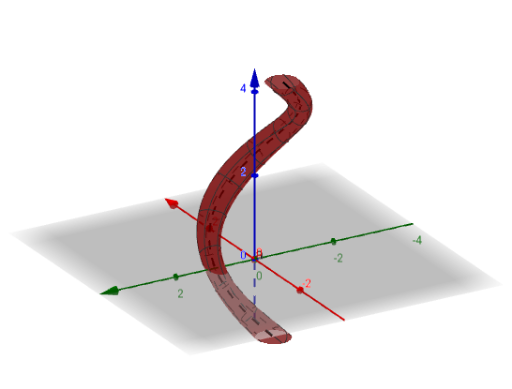
This example demonstrates how to generate a 3D surface by extruding a curve, involving core math concepts like 3D geometry, vector operations, parametric equations, and surface creation. It uses GeoGebra commands such as CurveCartesian for curve plotting, Textfield and Surface for text and surface display, and objects like InputBox1, a, b, c, r, f for parameter control and interaction. Suitable for high school and above students learning spatial geometry and parametric surfaces.
GeoGebra Commands & Parameters
CurveCartesian((sin(t), cos(t), t), t, -10, 10) → aTextfield(a) → InputBox1CurveCartesian(a'(t) ⊗ (1, 0, 0), t, -10, 10) → bCurveCartesian(b(t) ⊗ a'(t), t, -10, 10) → cSurface(a(t) + ((b(t) * sin(u)) * r) + ((c(t) * cos(u)) * r), t, -10, 10, u, (-π), π) → f