
Curve Along a Surface
Loading the math board and drawing, please wait…
In collections
Multivariable Calculus
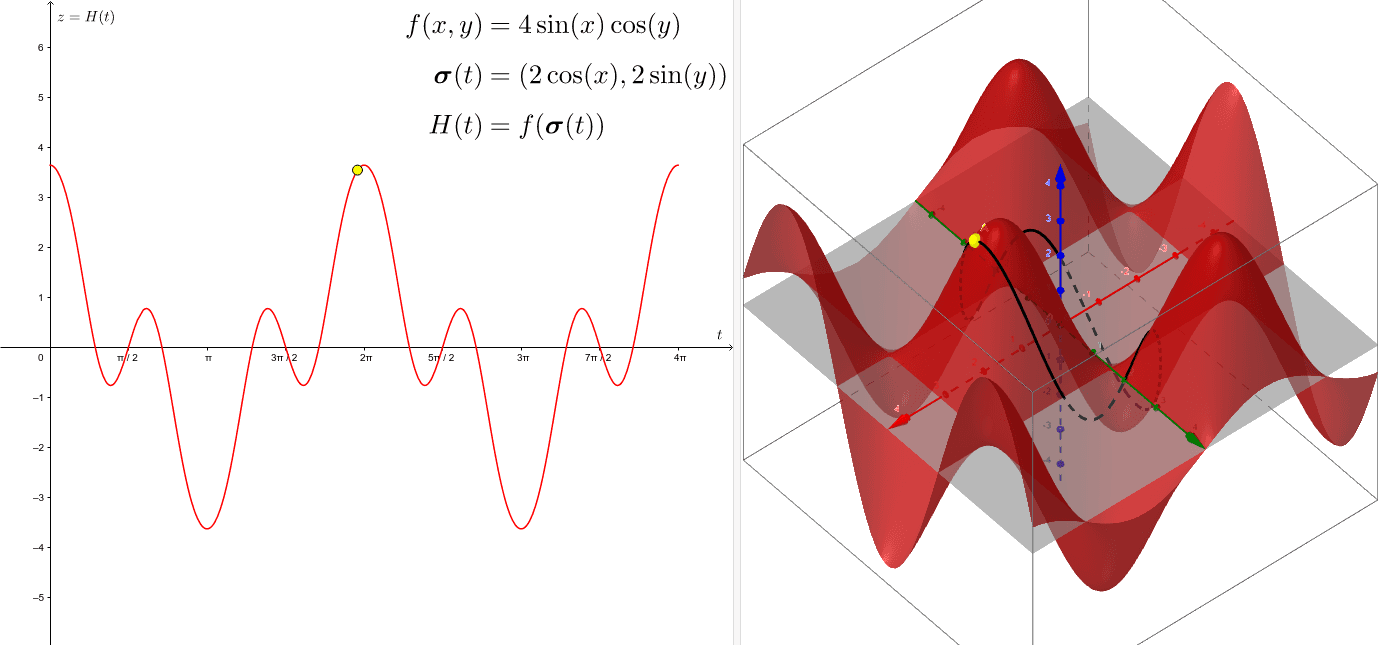
This example demonstrates how to draw a curve on a given surface in 3D space. It involves core mathematical concepts like surfaces, quadratic equations, area calculation, coordinate geometry constructions, right triangles, and cubes. The construction uses the GeoGebra command CurveCartesian with objects such as f, X, Y, a, t, H, A, B, and text elements text1, text2, text3. It is suitable for high school and above students learning about spatial geometry and parametric equations applications.
GeoGebra Commands & Parameters
CurveCartesian(X(s), Y(s), f(X(s), Y(s)), s, 0, (4 * π)) → a
AI Drawing Prompt Reference
Draw a curve on a given surface in 3D space using a parametric equation, where the x and y coordinates are functions of a parameter s ranging from 0 to 4π, and the z coordinate is determined by the function evaluated at x(s), y(s).
The prompt above was compiled from the original drawing commands and is for reference only.