
Cuboid Volume Calculation by Kevin Lee
Loading the math board and drawing, please wait…
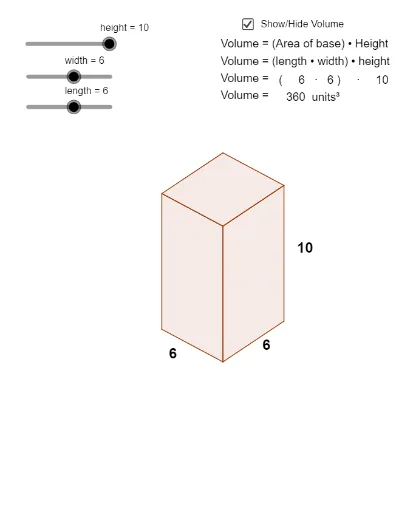
This example demonstrates how to dynamically calculate the volume of a cuboid through geometric constructions. Key math concepts include volume formulas, 3D geometry, and linear programming. It uses commands like Vector, Line, Intersect, Segment, Polygon, and Midpoint in GeoGebra to build the cuboid model and compute its dimensions. Suitable for high school and above students learning 3D geometry and optimization problems.
GeoGebra Commands & Parameters
Vector(((0.75 * width), (0.5 * width))) → wVector((0, height)) → zVector(((-0.75 * length), (0.4 * length))) → uLine(C, z) → dLine(B, w) → eLine(B, u) → fLine(A, z) → gIntersect(f, g) → DIntersect(d, e) → ESegment(A, D) → hSegment(D, B) → iSegment(B, E) → jSegment(E, C) → kLine(D, j) → lLine(E, i) → mIntersect(l, m) → FSegment(D, F) → nSegment(F, E) → pPolygon(D, A, O, B) → poly1, d_1, a_1, o, b_1Polygon(D, F, E, B) → poly2, d_2, f_1, e_1, b_2Polygon(O, C, E, B) → poly3, o_1, c_1, e_2, b_3Midpoint(o_1) → GMidpoint(c_1) → HMidpoint(a_1) → I