
Cube Section Demonstration
Loading the math board and drawing, please wait…
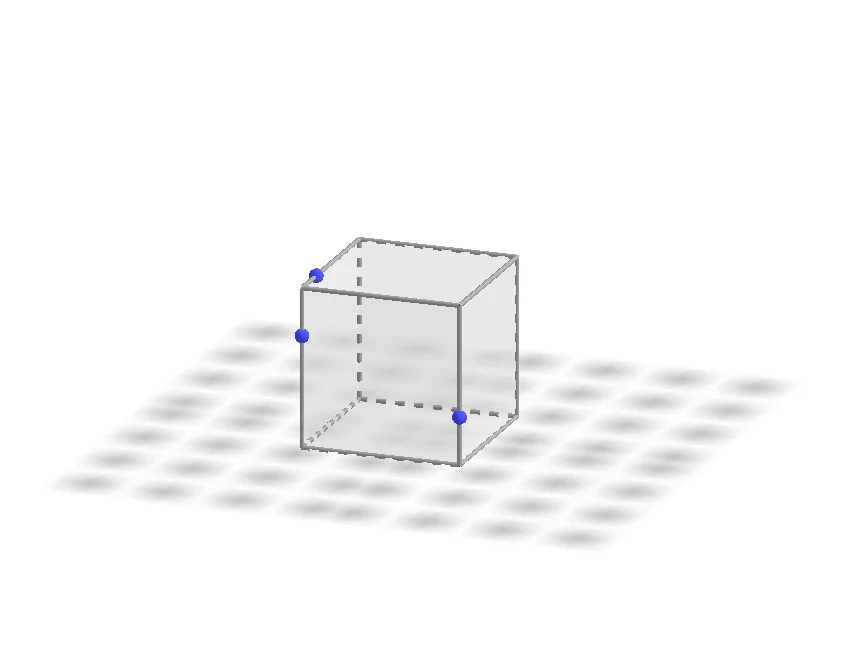
This example demonstrates the changing cross-section shapes of a cube at different angles. It involves core mathematical concepts like solid geometry, Pythagorean theorem, trigonometry, and limits. Construction highlights include using Point commands to create points A-H, defining cube faces (e.g., faceABCD) and edges (e.g., arêteAD). Suitable for high school solid geometry teaching and introductory mathematical modeling.
GeoGebra Commands & Parameters
Point(Circle[B, Distance[A, B], Segment[A, B]]) → CCube(A, B, C) → a, D, faceCDHG, faceEFGH, arêteAD, arêteAB, arêteBC, arêteCD, arêteAE, arêteDH, arêteEH, arêteEF, E, arêteBF, arêteFG, arêteCG, arêteGH, F, G, H, faceABCD, faceADHE, faceABFE, faceBCGF
AI Drawing Prompt Reference
Draw a cube and demonstrate the changing cross-section shapes at different angles, highlighting solid geometry, Pythagorean theorem, trigonometry, and limits. Start by creating point C on a circle centered at B with radius AB, then construct the cube, labeling its faces (e.g., faceABCD) and edges (e.g., edgeAD), and show how the cross-section shapes vary with angle.
The prompt above was compiled from the original drawing commands and is for reference only.