
Cube Section Demonstration by Nicolas ERDRICH
Loading the math board and drawing, please wait…
In collections
Volume of Solids
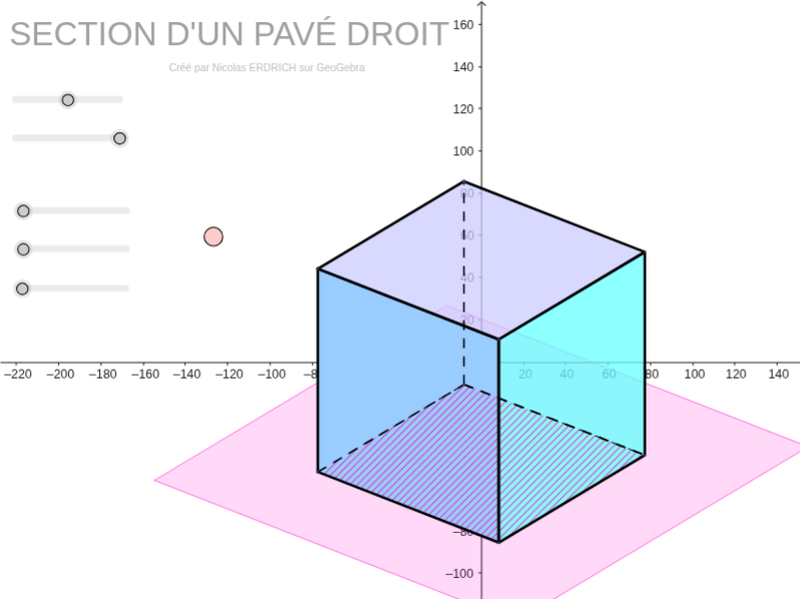
This example demonstrates the geometric process of slicing a cube with a plane parallel to its base. It involves core concepts in solid geometry, cross-sectional shapes, and spatial visualization. Construction highlights include commands like Sequence, Element, Point, Polygon, and Segment in GeoGebra. Suitable for high school geometry education or spatial reasoning development.
GeoGebra Commands & Parameters
Sequence(Mat * Element[cube, k], k, 1, 8) → cube'Element(Element[AE, 3], 1) → droiteSequence((Element[cube', k, 1, 1], Element[cube', k, 2, 1]), k, 1, 8) → listepointsPoint(listepoints) → APoint(listepoints) → EPoint(listepoints) → C_1Point(listepoints) → DPolygon(A, E, C_1, D) → poly1, a_1, b, c_1, dPoint(listepoints) → BPoint(listepoints) → FPoint(listepoints) → GPoint(listepoints) → HPolygon(B, F, G, H) → poly2, e, f, g, hPoint(listepoints) → CPolygon(F, C, A, B) → poly3, f_1, i, a_2, b_1Element(AB, 3, 1) → avantPolygon(C_1, G, H, E) → poly4, c_2, g_1, h_1, e_1Element(AC, 3, 1) → dessusPolygon(F, C, C_1, G) → poly5, f_2, c_3, c_4, g_2Polygon(A, B, H, E) → poly6, a_3, b_2, h_2, e_2Segment(E, A) → cSegment(A, C) → jSegment(A, B) → kSegment(C, C_1) → lSegment(C_1, E) → mSegment(H, E) → nSegment(A, B) → pSegment(B, H) → qSegment(H, E) → rSegment(H, G) → sSegment(B, F) → tSegment(G, C_1) → d_1Segment(F, G) → i_1Segment(F, C) → j_1Sequence(Mat * Element[plan, k], k, 1, 4) → plan'Sequence((Element[plan', k, 1, 1], Element[plan', k, 2, 1]), k, 1, 4) → listepoints2Point(listepoints2) → MPoint(listepoints2) → NPoint(listepoints2) → QPoint(listepoints2) → RPolygon(M, N, Q, R) → poly7, m_2, n_2, q_2, r_1Polygon(Translate[A, Vector[(u - w) / (2 * w) * Vector[G, H]]], Translate[B, Vector[(u - w) / (2 * w) * Vector[G, H]]], Translate[H, Vector[(u - w) / (2 * w) * Vector[G, H]]], Translate[E, Vector[(u - w) / (2 * w) * Vector[G, H]]]) → poly', k_1, l_1, m_1, n_1