
Cube in One Point Perspective
Loading the math board and drawing, please wait…
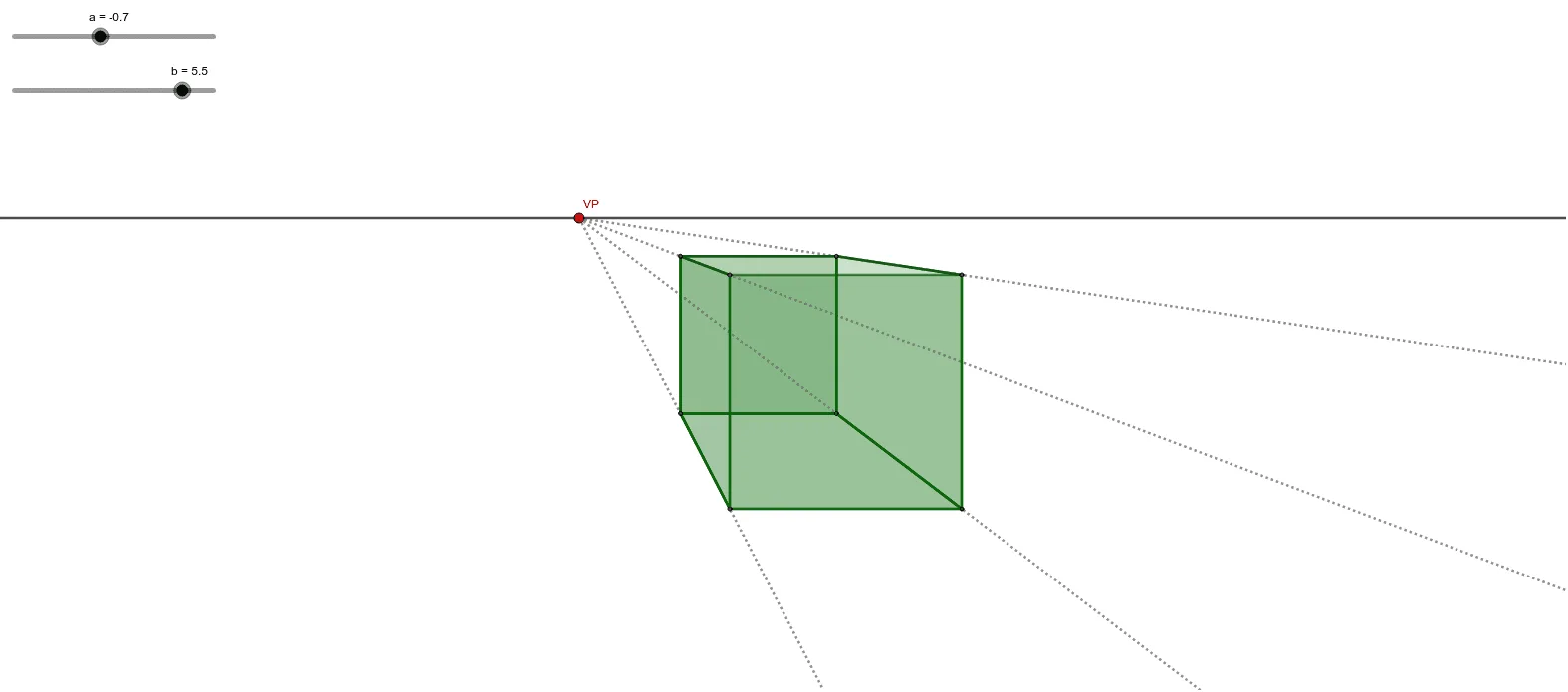
This example demonstrates a cube in one point perspective. It involves basic concepts of solid geometry. Using GeoGebra commands such as Point, OrthogonalLine, Intersect, etc., a 3D cube model can be constructed. Suitable for middle school solid geometry education, helping students understand the principle of perspective and the construction of solid figures.
GeoGebra Commands & Parameters
Point(f) → VPPoint(g) → APoint(g) → BOrthogonalLine(A, g) → hOrthogonalLine(B, g) → iPoint(i) → COrthogonalLine(C, i) → jIntersect(h, j) → DPolygon(A, B, C, D) → q1, a_1, b_1, c, dRay(VP, A) → kRay(VP, B) → lRay(VP, D) → mRay(VP, C) → nPoint(l) → ELine(E, a_1) → pIntersect(p, k) → FSegment(E, F) → qOrthogonalLine(F, p) → rIntersect(r, m) → GSegment(F, G) → sSegment(E, B) → tSegment(F, A) → f_1Segment(G, D) → g_1Line(E, s) → h_1Intersect(h_1, n) → HSegment(E, H) → i_1Segment(H, G) → j_1Segment(H, C) → k_1Polygon(F, E, B, A) → q2, f_2, e_1, b_2, a_2Polygon(E, H, G, F) → q3, e_2, h_2, g_2, f_3Polygon(G, H, C, D) → q4, g_3, h_3, c_1, d_1Polygon(E, B, C, H) → q5, e_3, b_3, c_2, h_4
AI Drawing Prompt Reference
Draw a cube in one-point perspective. Start with a vanishing point on a planecars and two points on that plane as adjacent vertices of the cube's base. From each of these points, draw a perpendicular line to the plane. On one perpendicular, choose a point as the third base vertex, then draw a perpendicular from it to intersect the other perpendicular, giving the fourth base vertex, forming the base rectangle. From the vanishing point, draw rays to all four base vertices. On one ray, pick a point as a top vertex, then draw a line through it parallel to a base edge to intersect an adjacent ray, giving another top vertex. From that vertex, draw a perpendicular to intersect another ray, obtaining the third top vertex. Finally, connect all vertices to complete the cube, showing its visible faces.
The prompt above was compiled from the original drawing commands and is for reference only.