
Cube Cross Section by C.P. Cheung
Loading the math board and drawing, please wait…
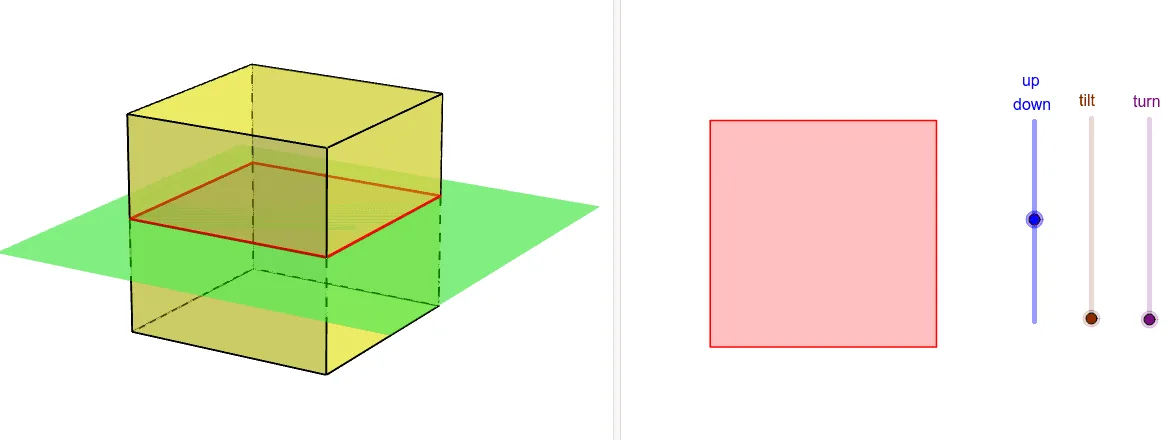
This example demonstrates the various cross-sectional shapes formed by slicing a cube at different angles and positions. It involves core math concepts like solid geometry, cross-section analysis, and spatial visualization. Constructed using GeoGebra commands such as Point, Cube, Translate, IntersectPath, and Rotate to build the cube, move the slicing plane, and calculate intersection points. Suitable for high school geometry teaching or developing students' spatial reasoning skills.
GeoGebra Commands & Parameters
Point(Circle[B, Distance[A, B], Segment[A, B]]) → CCube(A, B, C) → a, D, faceCDHG, faceEFGH, edgeAD, edgeAB, edgeBC, edgeCD, edgeAE, edgeDH, edgeEH, edgeEF, E, edgeBF, edgeFG, edgeCG, edgeGH, F, G, H, faceABCD, faceADHE, faceABFE, faceBCGFTranslate(Rotate[Rotate[Plane[xAxis, yAxis], tt, xAxis], rr, zAxis], Vector[(0, 0, ud)]) → bIntersectPath(b, a) → poly1, I, i, j, k, J, K, L, M, N, f, g, hRotate(Rotate[Translate[poly1, Vector[(0, 0, (-ud))]], (-rr), zAxis], (-tt), xAxis) → poly2