
Cross Sections of Cylinders
Loading the math board and drawing, please wait…
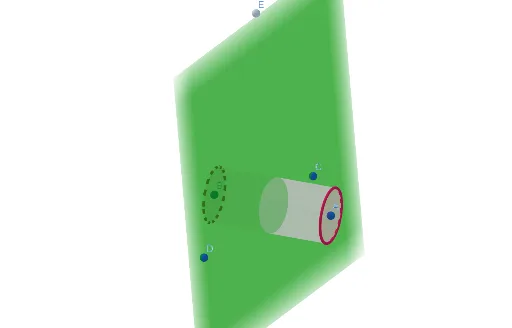
This example demonstrates how changing the orientation of a plane relative to a cylinder reveals different cross-sectional shapes. It involves core concepts in solid geometry such as cross-sections, polygons (rectangles, ellipses), and inequalities. The construction uses GeoGebra commands like Point, Cylinder, and Plane, along with sliders for dynamic manipulation. Suitable for high school geometry education to visually explore the relationship between cross-sections and 3D shapes.
GeoGebra Commands & Parameters
Point(xAxis) → APoint(xAxis) → BCylinder(A, B, 1) → a, c, d, bPoint(yAxis) → DPoint(zAxis) → EPlane(C, D, E) → e
AI Drawing Prompt Reference
Draw a cylinder and add a plane that can change direction dynamically to show different cross-sectional shapes like rectangles and ellipses when intersecting the cylinder; adjust the plane's angle to observe the changes in cross-sectional shapes, demonstrating concepts of cross-sections, polygons, and inequalities in solid geometry.
The prompt above was compiled from the original drawing commands and is for reference only.