
GeoGebra Lesson: Putting Geometric Solid Components Together
Loading the math board and drawing, please wait…
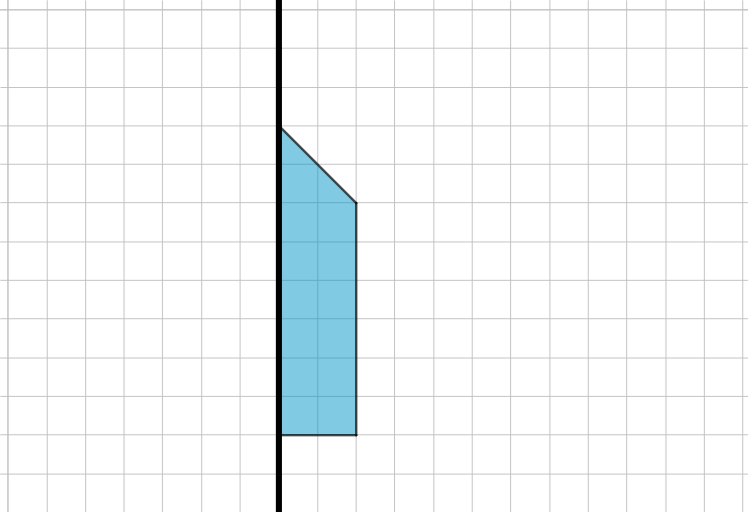
This GeoGebra example demonstrates how to assemble multiple geometric solid components (or their key faces/sections and boundary edges) into a single coherent diagram, then use linked mathematical relations to support verification and exploration. The main concepts include congruence and geometric correspondence, equation-based constraints to connect related parts, and the integration of integer structure via LCM/GCD when scale or alignment conditions matter. Construction-wise, the model is built using the GeoGebra commands Line and Polygon to create and connect the relevant objects: A, B, f, C, D, E, F, together with objects q1, c, d, e, and f_1 that represent additional linked points/edges used in the combined layout. Designed for upper secondary students and early pre-university learners, it works well for classroom demonstrations and practice on “construction → relationship → check” workflows in geometry.
GeoGebra Commands & Parameters
Line(A, B) → fPolygon(C, D, E, F) → q1, c, d, e, f_1
AI Drawing Prompt Reference
Draw a geometric diagram combining a straight line and a quadrilateral. Start with a line as a reference, then construct a quadrilateral with four vertices connected in order to form a closed shape. Position the quadrilateral so that one of its edges intersects or aligns with the line, showing their spatial relationship. The composition should illustrate how geometric components fit together, with clear correspondence between the line and the polygon's sides. Include necessary auxiliary points or edges to support further geometric reasoning.
The prompt above was compiled from the original drawing commands and is for reference only.