
Cross Sections of a Square Based Pyramid by nandrews (2)
Loading the math board and drawing, please wait…
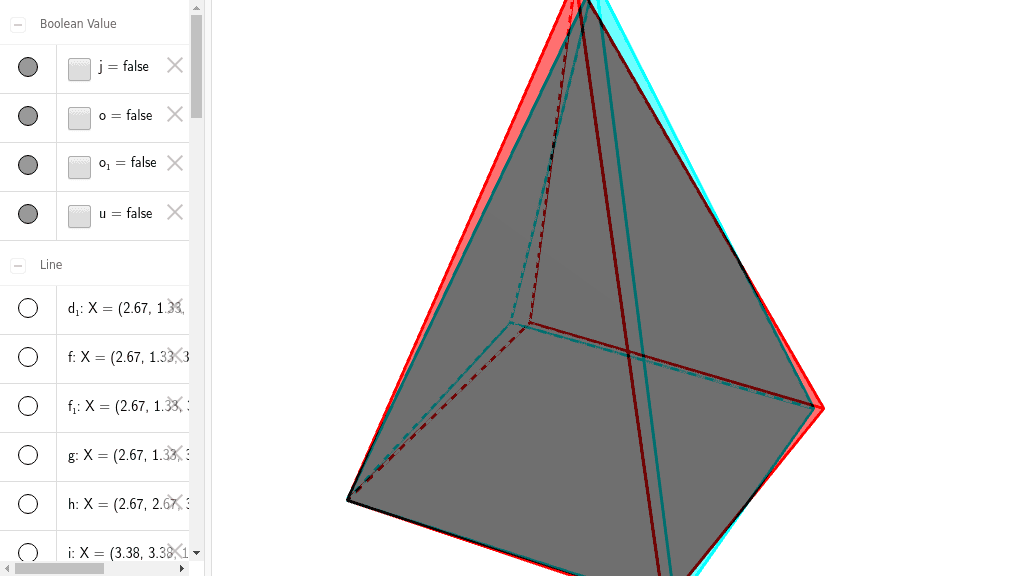
This example demonstrates the cross sections of a square based pyramid. Key mathematical concepts include the properties of sections in solid geometry. Using GeoGebra commands such as Intersect, Point, Polygon, etc., the various faces and edges of the pyramid can be constructed. Suitable for high school geometry learners or related educational purposes.
GeoGebra Commands & Parameters
Intersect(xAxis, yAxis) → APoint(xAxis) → BPolygon(A, B, 4) → poly1, a, b, c, d, C, DPyramid(poly1, 6) → e, E, faceABE, faceBCE, faceCDE, faceADE, edgeAE, edgeBE, edgeCE, edgeDEPoint(edgeBE) → FLine(F, b) → fIntersect(f, edgeCE) → GOrthogonalLine(F, a, space) → gOrthogonalLine(G, c, space) → hIntersect(a, g) → HIntersect(c, h) → IPoint(edgeBE) → JOrthogonalPlane(J, edgeBE) → kIntersectPath(k, e) → poly3, K, q, L, M, N, O, l, m, n, pPoint(edgeCE) → PLine(P, b) → iIntersect(i, edgeBE) → QLine(P, c) → rIntersect(edgeDE, r) → RPlane(Q, P, R) → sIntersectPath(s, e) → poly2, S, T, U, V, t, a_1, b_1, c_1OrthogonalLine(F, poly1) → d_1Intersect(edgeBE, b) → WIntersect(edgeDE, c) → ZSegment(W, Z) → e_1Intersect(e_1, d_1) → A_1OrthogonalLine(F, e_1, space) → f_1OrthogonalPlane(F, e_1) → vIntersectPath(v, e) → poly4, B_1, C_1, D_1, g_1, h_1, i_1Point(edgeBE) → E_1Line(E_1, b) → j_1Intersect(edgeCE, j_1) → F_1OrthogonalLine(F_1, poly1) → k_1Point(k_1) → G_1Plane(E_1, F_1, G_1) → wIntersectPath(w, e) → poly5, H_1, I_1, J_1, K_1, l_1, m_1, n_1, p_1
AI Drawing Prompt Reference
Draw a square-based pyramid with its base on the coordinate plane, one vertex at the origin, another on the x-axis, and height 6. Pick a point on one lateral edge, draw a line through it parallel to a base edge to meet another lateral edge, forming a cross-section. Pick another point on a lateral edge, construct a plane perpendicular to that edge, intersecting the pyramid to produce a polygonal section. Continue by picking points on lateral edges, drawing lines parallel to base edges, and constructing triangular sections. Finally, draw a line perpendicular to the base, and construct a plane through it perpendicular to a certain section line, yielding another section. Show multiple cross-sections at different positions.
The prompt above was compiled from the original drawing commands and is for reference only.