
Cross Section of a Cylinder: Plane Intersection Visualization
Loading the math board and drawing, please wait…
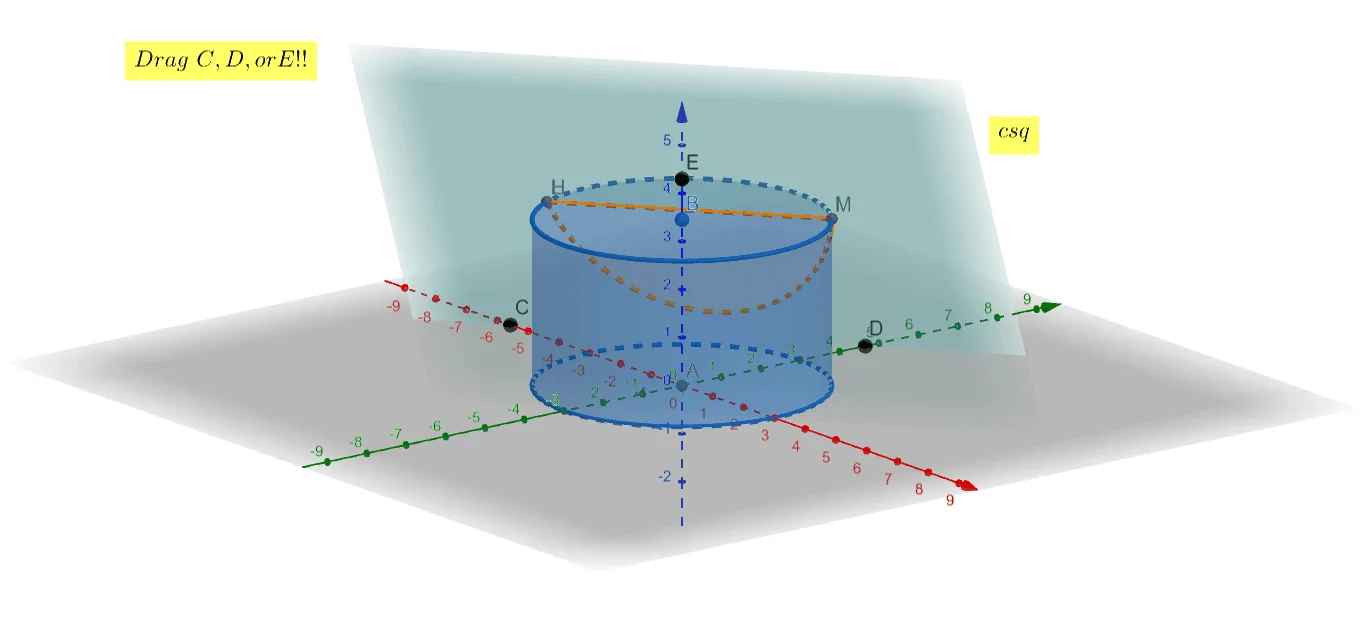
This GeoGebra example demonstrates the cross-section of a cylinder by a plane, showing the resulting intersection curve and key points in 3D space. The core mathematical concepts involve solid geometry, plane-surface intersection, the equation of a cylinder, and spatial visualization. Construction details: the Cylinder command creates the 3D cylinder, Plane defines the cutting plane, IntersectPath computes the intersection curve between the plane and the cylinder's lateral surface, Intersect finds critical points, Point marks specific locations, Corner assists in positioning, and text objects display relevant measurements or labels. This is suitable for high school or early college students learning about cross-sections in solid geometry, and serves as an interactive teaching tool to visualize how different plane orientations produce circles, ellipses, or straight-line sections of a cylinder.
GeoGebra Commands & Parameters
Intersect(xAxis, zAxis) → APoint(zAxis) → BCylinder(A, B, 3) → a, c, d, bPoint(xAxis) → CPoint(yAxis) → DPoint(zAxis) → EPlane(C, D, E) → eIntersectPath(e, a) → fCorner(f) → F, G, H, IIntersectPath(e, a) → gCorner(g) → J, K, L, M