
Counter-Clockwise Rotation Exploration
Loading the math board and drawing, please wait…
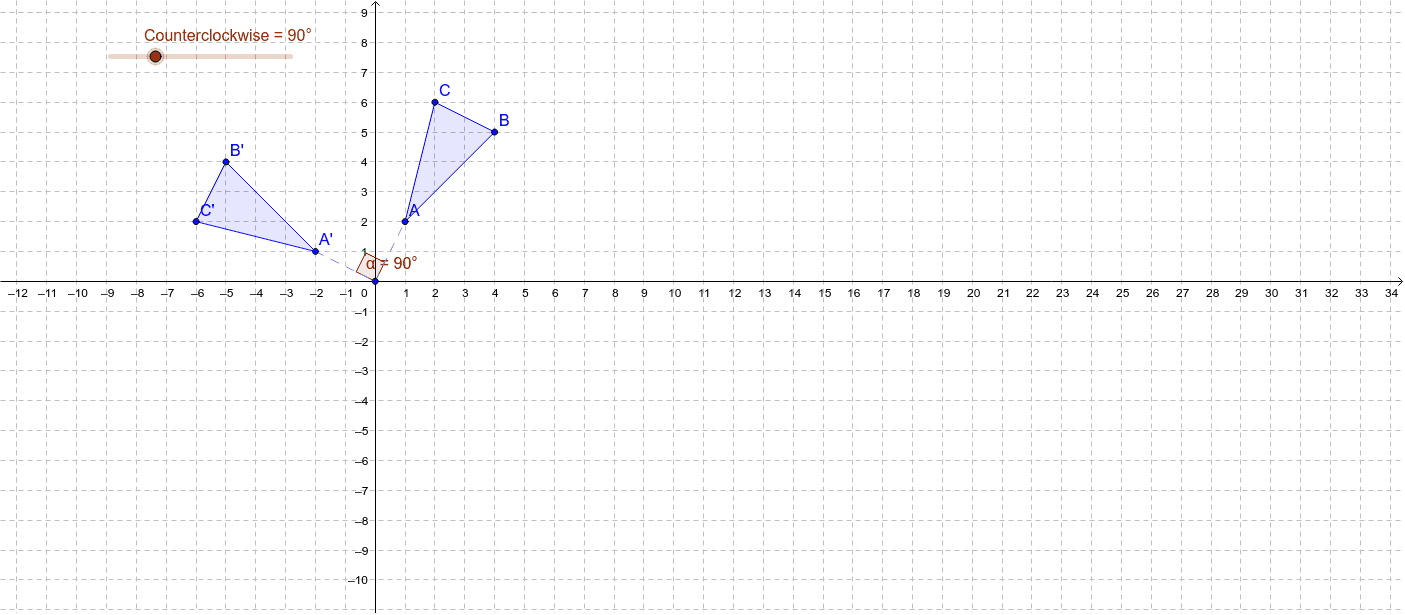
This example demonstrates the process and properties of a polygon rotating counter-clockwise in a coordinate system. It involves core math concepts like rotation, coordinate geometry, trigonometry, vectors, and geometric construction. Key GeoGebra commands used include Polygon, Intersect, Rotate, Segment, and Angle. Suitable for high school students and math enthusiasts to understand geometric transformations and applications of coordinate geometry.
GeoGebra Commands & Parameters
Polygon(A, B, C) → poly1, c, a, bIntersect(xAxis, yAxis) → DRotate(A, Counterclockwise, D) → A'Rotate(B, Counterclockwise, D) → B'Rotate(C, Counterclockwise, D) → C'Polygon(A', B', C') → poly1', c', a', b'Segment(D, A) → dSegment(A', D) → eAngle(A, D, A') → α
AI Drawing Prompt Reference
In a coordinate system, draw a polygon and rotate its vertices counterclockwise around the origin to form a new polygon. Connect the origin to the original and rotated vertices, and label the rotation angle.
The prompt above was compiled from the original drawing commands and is for reference only.