
Copy and Solve Simple Linear Equations (Apply Balance Concept)
Loading the math board and drawing, please wait…
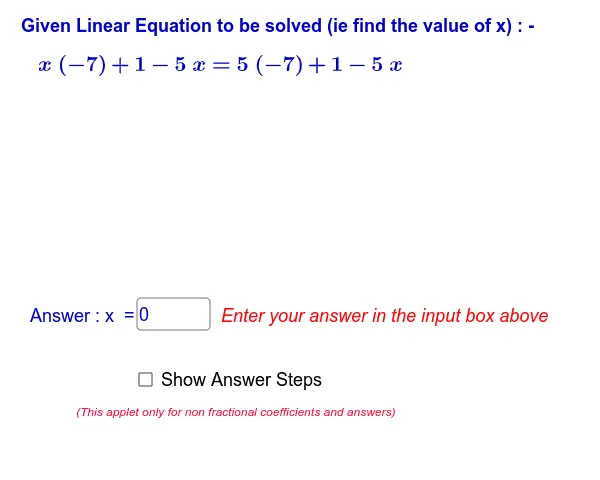
This example demonstrates the process of solving simple linear equations through interactive visualization, emphasizing the concept of balance on both sides of an equation. Core math concepts include linear equations, balance, and algebraic operations. It is constructed using GeoGebra commands like Random, RandomElement, If, and Textfield, along with objects such as showsteps, display, f, r0, g, r1, etc., enabling random equation generation and step-by-step display. Suitable for middle school students and above for self-directed learning or classroom demonstration.
GeoGebra Commands & Parameters
Random(-5, 5) → r0RandomElement({-9, -8, -7, -6, -5, -4, -3, -2, -1, 1, 2, 3, 4, 5, 6, 7, 8, 9, 10, 11, 12}) → r1RandomElement({-9, -8, -7, -6, -5, -4, -3, -2, -1, 1, 2, 3, 4, 5, 6, 7, 8, 9, 10, 11, 12}) → r2RandomElement({-9, -8, -7, -6, -5, -4, -3, -2, -1, 1, 2, 3, 4, 5, 6, 7, 8, 9, 10, 11, 12}) → r3If(showsteps ≟ true, 10 - display, 1) → stepTextfield(answerx) → inputBox1If(answerx ≟ g(0), 1, 0) → correctIf(showsteps ≟ true, 10, 1) → stepsvalue
AI Drawing Prompt Reference
Create an interactive visualization showing the process of solving simple linear equations using the balance concept. Include randomly generated linear equations, visualizing the balance on both sides to explain the solution. Allow users to input answers for verification, with options to display steps and dynamically show the solution process based on correctness.
The prompt above was compiled from the original drawing commands and is for reference only.