
Coordinate Point Construction
Loading the math board and drawing, please wait…
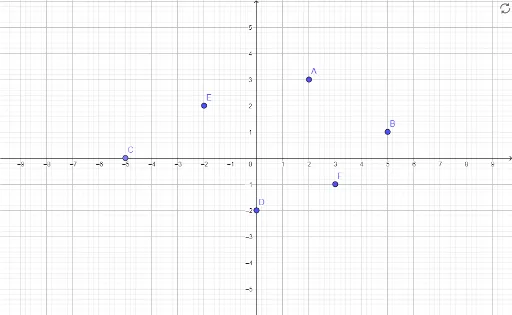
This example demonstrates constructing points A, B, D, E, F, and C in a coordinate system and exploring their geometric relationships. Core math concepts include coordinate geometry, matrix operations, and tangent line construction. Key construction steps involve using the Point command in GeoGebra to create objects A, B, D, E, F, C. Suitable for high school students learning coordinate geometry, matrix applications, and geometric constructions.
GeoGebra Commands & Parameters
Point(xAxis) → C
AI Drawing Prompt Reference
In a Cartesian coordinate system, place a point on the x-axis. From this point, draw a vertical line upward and mark another point on it, creating a segment. Using the x-axis point as the center and the segment length as the radius, construct a circle. Then, from a point on the circle, drop a perpendicular to the x-axis, marking the foot on the axis, thus forming a right triangle that illustrates basic coordinate geometry relationships.
The prompt above was compiled from the original drawing commands and is for reference only.