
Coordinate Geometry Example
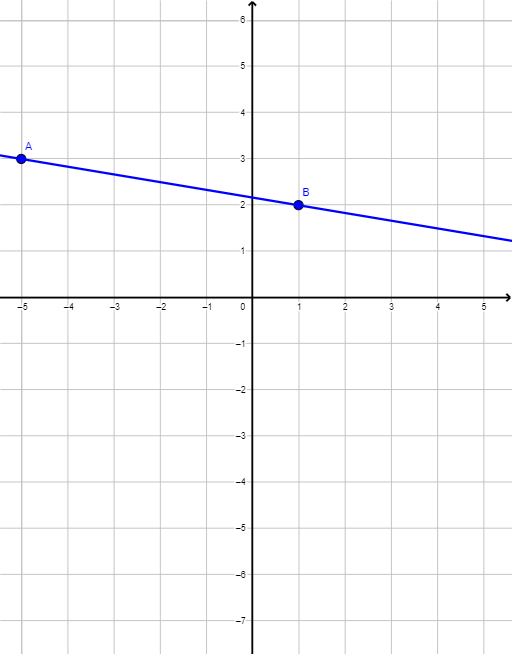
Loading the math board and drawing, please wait…
This example demonstrates how to use coordinate geometry to draw triangles, circles, and polygons, and calculate geometric properties like midpoints and angles. Core math concepts include coordinate geometry, equations, geometric construction, transformations, and limits. It utilizes GeoGebra commands and objects such as Sequence, Line, Textfield, Polygon, Midpoint, LaTeX, and variables like Rans, A, B, lne, ans1, ans2, ans4, q1, InputBox1, numans, q1c, q2, InputBox2, C, gradpoly, q1f, num2ans, q2c, q2f, q3, Muser, InputBox3, M, q3c, q3f, q4, InputBox4, num4ans, q4c, q4f, q5, ans5, InputBox5, q5c, q5f, button1, text1. Suitable for high school students learning basic principles and construction techniques of coordinate geometry.
GeoGebra Commands & Parameters
Sequence(Random[-5, 5], i, 1, 4) → Rans, {-5, 3, 1, 2}Line(A, B) → lneTextfield(ans1) → InputBox1Textfield(ans2) → InputBox2Polygon({A, C, B}) → gradpolyTextfield(Muser) → InputBox3Midpoint(Segment[A, B]) → MLaTeX("\text{" + (If[q3c, "Correct!", "Incorrect"]) + ((((((((((" - Midpoint AB = }\left( \frac{" * x(B)) * "+") * x(A)) * "}{2},\frac{") * y(B)) * "+") * y(A)) * "}{2} \right) = ") * M))) → q3fTextfield(ans4) → InputBox4LaTeX("\text{" + (If[q4c, "Correct!", "Incorrect"]) + ((((" - Perpendicular Gradient = \frac{-1}{\left(" * $5) * "\right)} = ") * $7))) → q4fTextfield(ans5) → InputBox5LaTeX("\text{" + (If[q5c, "Correct!", "Incorrect"]) + (((((((((" - Eqn of line: }\\y-y_1=m(x-x_1) \\ y-" * y(A)) * "=") * $5) * "(x-") * x(A)) * ") \\ ") * lne) * "\text{ (or equivalent)}"))) → q5f
AI Drawing Prompt Reference
Draw a triangle ABC with points A, B, and C randomly generated. Find the midpoint M of AB and input its coordinates in InputBox1. Draw the line l through points A and B, and input its slope in InputBox2. Construct triangle ABC and input its area in InputBox3. Calculate the perpendicular slope of line l and input it in InputBox4. Finally, input the equation of line l in InputBox5.
The prompt above was compiled from the original drawing commands and is for reference only.