
Converting Percentages to Fractions
Loading the math board and drawing, please wait…
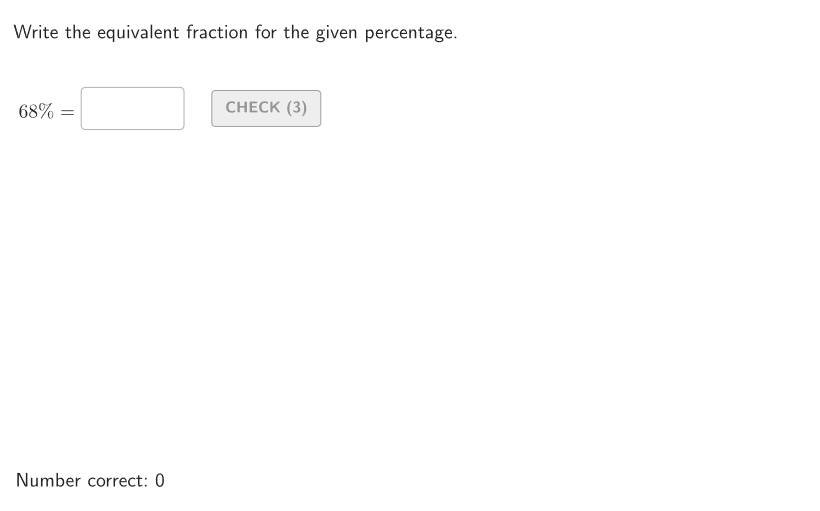
This example demonstrates how to convert a given percentage into its equivalent fraction. The key mathematical concepts involve the relationship between percentages and fractions. Construction involves using GeoGebra commands such as Shuffle, Element, Sequence, etc. to create the corresponding percentage and fraction values. Suitable for students in grades 6-8 to practice basic percentage and fraction conversion skills.
GeoGebra Commands & Parameters
Shuffle(Sequence[t, t, 5, 95]) → allPerc, {68, 24, 11, 32, 95, 59, 54, 23, 79, 20, 14, 60, 43, 65, 42, 39, 61, 72, 74, 26, 16, 51, 48, 45, 89, 66, 57, 64, 52, 76, 38, 27, 73, 83, 85, 8, 82, 46, 28, 88, 18, 78, 67, 94, 21, 62, 7, 6, 81, 19, 29, 22, 15, 69, 71, 75, 10, 25, 31, 58, 9, 92, 37, 87, 53, 49, 40, 63, 13, 33, 34, 56, 77, 5, 84, 55, 44, 30, 70, 47, 93, 50, 86, 90, 91, 12, 36, 80, 17, 41, 35}Element(allPerc, Mod[countQuestion, Length[allPerc]] + 1) → givenPercSequence(Random[0, 99] / 100, A, 1, 200) → allRandomSeeds, {0.63, 0.38, 0.84, 0.58, 0.83, 0.68, 0.3, 0.4, 0.41, 0.78, 0.61, 0.95, 0.87, 0.85, 0.67, 0.52, 0.97, 0.34, 0.22, 0.04, 0.93, 0.13, 0.07, 0.75, 0.24, 0.71, 0.28, 0.76, 0.01, 0.79, 0.52, 0.03, 0.38, 0.69, 0.4, 0.11, 0.63, 0.07, 0.06, 0.03, 0.31, 0.66, 0.74, 0.04, 0.93, 0.01, 0.52, 0, 0.43, 0.89, 0.39, 0.38, 0.26, 0.61, 0.67, 0.3, 0.55, 0.61, 0.79, 0.8, 0.1, 0.23, 0.3, 0.17, 0.4, 0.29, 0.67, 0.71, 0.24, 0.34, 0.48, 0.31, 0.43, 0.71, 0.99, 0.52, 0.02, 0.38, 0.96, 0.82, 0.31, 0.75, 0.4, 0.84, 0.39, 0.84, 0.72, 0.59, 0.09, 0.79, 0.71, 0.25, 0.68, 0.42, 0.37, 0.55, 0.28, 0.5, 0.4, 0.27, 0.58, 0.05, 0.72, 0.26, 0.81, 0.63, 0.23, 0.26, 0.65, 0.52, 0.32, 0.2, 0.31, 0.33, 0.33, 0.65, 0.11, 0.56, 0.61, 0.78, 0.71, 0.21, 0.16, 0.58, 0.57, 0.79, 0.34, 0.07, 0.05, 0.65, 0.9, 0.58, 0.77, 0.11, 0.47, 0.65, 0.88, 0.09, 0.22, 0.5, 0.5, 0.58, 0.75, 0.43, 0.29, 0.49, 0.95, 0.77, 0.23, 0.05, 0.67, 0.87, 0.88, 0.52, 0.06, 0.03, 0.95, 0.79, 0.53, 0.42, 0.38, 0.77, 0.27, 0.41, 0.06, 0.73, 0.13, 0.16, 0.13, 0.61, 0.44, 0.41, 0.22, 0.65, 0.7, 0.71, 0.75, 0.97, 0.76, 0.37, 0.46, 0.05, 0.29, 0.85, 0.1, 0.43, 0.29, 0.05, 0.34, 0.46, 0.77, 0.81, 0.84, 0.09, 0.26, 0.74, 0.8, 0.11, 0.85, 0.07}Take(allRandomSeeds, randIndex, randIndex + numRandoms - 1) → currentRandomSeedsSequence(A + ((t * step), 0), t, 2, 10, 1) → removeListPoint(megaGrid) → POrthogonalLine(P, Segment[A, B]) → perpXIntersect(perpX, Segment[A, B]) → GIntersect(perpX, Segment[D, C]) → HOrthogonalLine(P, Segment[A, D]) → perpYOrthogonalLine(H1, Segment[A, B]) → parH1Intersect(parH1, perpY) → IPolygon({A, G, P, I, H1, D}) → explorePolyTextfield(inputB) → InputBoxBTextfield(inputA) → InputBoxAPolygon(Zip[PixelsToPoint[Corner[1], Corner[3], Corner[5], A], A, {(pixelsLeft, pixelsTop), (pixelsLeft, y(Corner[5]) - pixelsBottom), Corner[5] - (pixelsRight, pixelsBottom), (x(Corner[5]) - pixelsRight, pixelsTop)}]) → borderBoxCorner(5) → layoutAppSizeonboardingTextOffset(Corner[onboardingText, 1], Corner[onboardingText, 3], onboardingCase, Corner[1], Corner[3], Corner[5]) → OnboardingTextOffsetTextfield(inputC) → InputBoxCIf(givenPerc < 10, 70, 75 + 2) → inputPosXSegment(E, F) → segmEFSequence(Segment[(t, y(E) - 0.8), (t, y(E) + 0.8)], t, x(E), x(F), Distance[E, F] / 10) → longTicksSequence(Segment[(t, y(E) - 0.5), (t, y(E) + 0.5)], t, x(E), x(F), Distance[E, F] / 20) → mediumTicksSequence(Segment[(t, y(E) - 0.2), (t, y(E) + 0.2)], t, x(E), x(F), Distance[E, F] / 100) → shortTicksSequence(E + (k / 100 * (F - E)), k, 0, 100) → lineGridPoint(lineGrid) → SPSegment(E, E - (1, 0)) → arrowSxSegment(F, F + (1, 0)) → arrowDxElement(lineGrid, givenPerc + 1) → SOLPSegment(SOLP + (0, 0.25), SOLP + (0, 2)) → solArrowPolygon({A, B, C, D}) → squareZip({Segment[(x(A) + k, y(A)), (x(A) + k, y(C))], Segment[(x(A), y(A) + k), (x(B), y(A) + k)]}, k, Sequence[t, t, 0, Distance[A, B], step]) → squareDivSegment((16.05, 8.57), (18.5, 8.57)) → arrowPolyIndexOf(P, megaGrid) → positionPPolygon({A, G, P, I, H1, D}) → solPolyIndexOf(SP, lineGrid) → positionSPLength(megaGrid) → lengthMegaLength(lineGrid) → lengthLineElement(megaGrid, givenPerc + 1) → SOLPGElement(megaGrid, 51) → PSTARTcirclePixels(P, 7 + (7 * pulsing), Corner[1], Corner[3], Corner[5]) → pulsingObject1circlePixels(SP, 7 + (7 * pulsing), Corner[1], Corner[3], Corner[5]) → pulsingObject2Numerator(inputA) → inputANumDenominator(inputA) → inputADenNumerator(givenVal) → givenNumDenominator(givenVal) → givenDen
AI Drawing Prompt Reference
Draw a math teaching illustration: a horizontal number line from 0 to 100 with three types of tick marks (long, medium, short), and an arrow pointing to a specific percentage on the line; below the number line, a large square divided into a 100-cell grid to visualize the equivalent fraction relationship; input boxes on the right side for students to enter the corresponding fraction; the overall design is clean and clear, suitable for grade 6-8 students practicing percentage to fraction conversion.
The prompt above was compiled from the original drawing commands and is for reference only.