
Convert Improper Fractions to Mixed Numbers by Kevin Hopkins
Loading the math board and drawing, please wait…
In collections
Fraction Skills
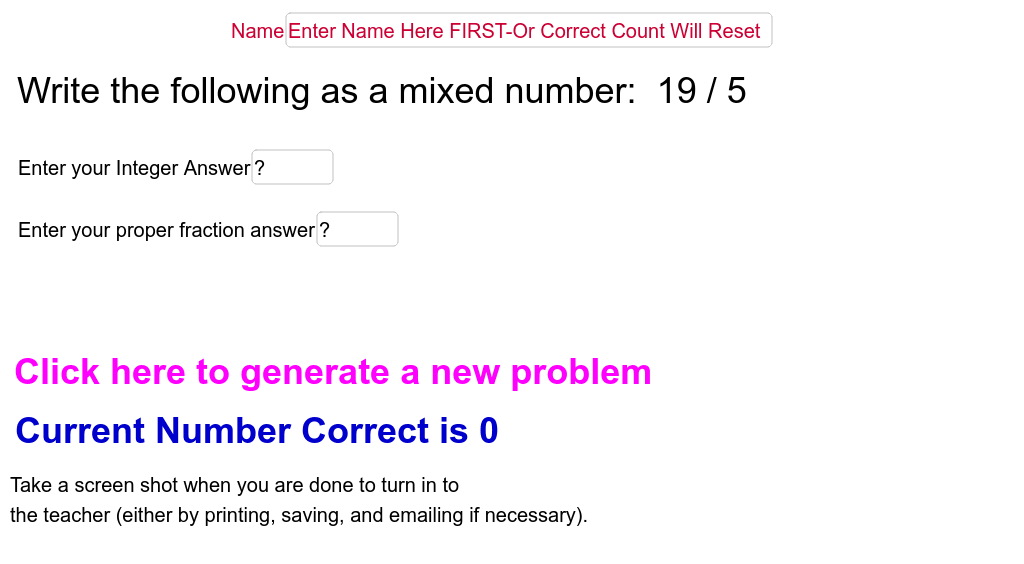
This interactive GeoGebra example demonstrates how to convert improper fractions (where the numerator is greater than the denominator) into mixed numbers (a whole number plus a proper fraction). The core mathematical concept is the equivalent representation of fractions through division: dividing the numerator by the denominator yields a whole-number quotient and a remainder, which become the integer part and the new numerator respectively, while the denominator stays unchanged. The construction uses GeoGebra commands such as Random to generate random numerators and denominators, Div to compute the integer quotient, FractionText to display fractions in proper notation, Textfield and inputBox for user input, RandomElement and If to create answer choices and check correctness. Objects like ansf, bden1, bnum1, aden1, anonden, anum1, anonnum, aint, a, afract, ansi, opsel, b, adis, bdis, inputBox1, acor, cans, text5, eres, text6, text7, numcor, adder, text9, d, nm, Name, text3, text8, inputBox2, text2, ansent, ans, and text1 are used to manage the display and feedback. This resource is suitable for upper elementary or middle school students learning fraction conversion, and can serve as a classroom demonstration or a self-paced practice tool.
GeoGebra Commands & Parameters
Random(2, 9) → bden1Random(1, bden1 - 1) → bnum1Random(2, 9) → aden1Random(1, aden1 - 1) → anum1Div(anonnum, anonden) → aintRandom(1, 4) → opselFractionText(a) → adisFractionText(b) → bdisTextfield(ansf) → inputBox1RandomElement({"Good Job", "Great!", "Way to Go!"}) → text5RandomElement({"Not Quite", "Try Again"}) → eresFractionText(ansf) → text6If(acor, 1, 0) → adderTextfield(nm) → NameTextfield(ansi) → inputBox2
AI Drawing Prompt Reference
Create an interactive diagram showing how to convert improper fractions to mixed numbers. Include randomly generated improper and mixed fractions, with division results displayed as integer and remainder parts. The remainder becomes the new numerator, while the integer part and denominator form the mixed number. Provide input boxes for user verification and display feedback messages for correct or incorrect answers. Use sliders to adjust parameters, and incorporate fraction text, text fields, and random encouraging or corrective messages for an educational tool.
The prompt above was compiled from the original drawing commands and is for reference only.