
Construction and Properties of a Right Circular Cone
Loading the math board and drawing, please wait…
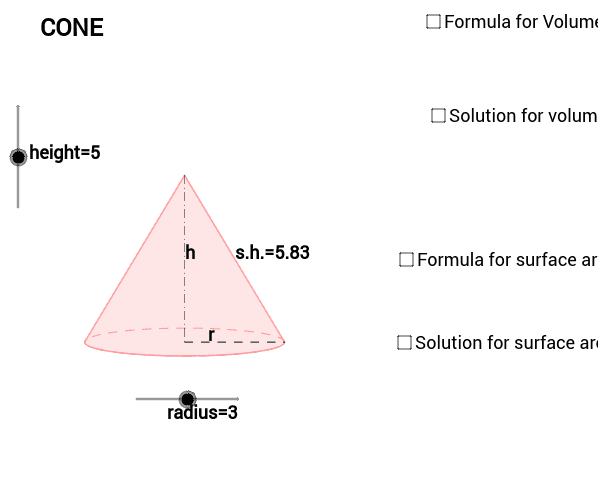
This GeoGebra worksheet demonstrates how to construct a complete right circular cone model and explore its geometric properties. The core mathematical concepts include the Pythagorean relationship between the base radius, slant height, and height of the cone, as well as formulas for lateral surface area and volume. The construction process comprehensively utilizes commands including Dilate, Vector, and Translate for spatial transformations; Arc, Polygon, and Segment for drawing the base and lateral surface; and Midpoint for locating key points. The constructed objects include the cone's height, radius, slant heights (s_1, s_2), multiple marked points on the base circumference (A, B, P, etc.), and auxiliary line segments. This example is ideal for middle and high school geometry classes, demonstrating three-dimensional geometric concepts, and serves as a practical reference for students learning GeoGebra operations.
GeoGebra Commands & Parameters
Dilate(B, height, A) → CVector(A, C) → uTranslate(P, u) → EArc(c, 3.141592653589793, 0) → fPolygon(L, E, R) → Q, r_1, l, eSegment(E, P) → aSegment(P, R) → bMidpoint(E, P) → DMidpoint(P, R) → FMidpoint(E, R) → SMidpoint(a) → K
AI Drawing Prompt Reference
Draw a right circular cone model with a base circle, lateral surface, and apex. Mark points on the base circle and represent the lateral surface with arcs. Construct by first determining the apex, drawing the base circle, then connecting the apex to points on the base circle to form the lateral surface. Key points like midpoints and slant heights should be marked.
The prompt above was compiled from the original drawing commands and is for reference only.