
Constructing the Orthocenter of a Triangle in GeoGebra
Loading the math board and drawing, please wait…
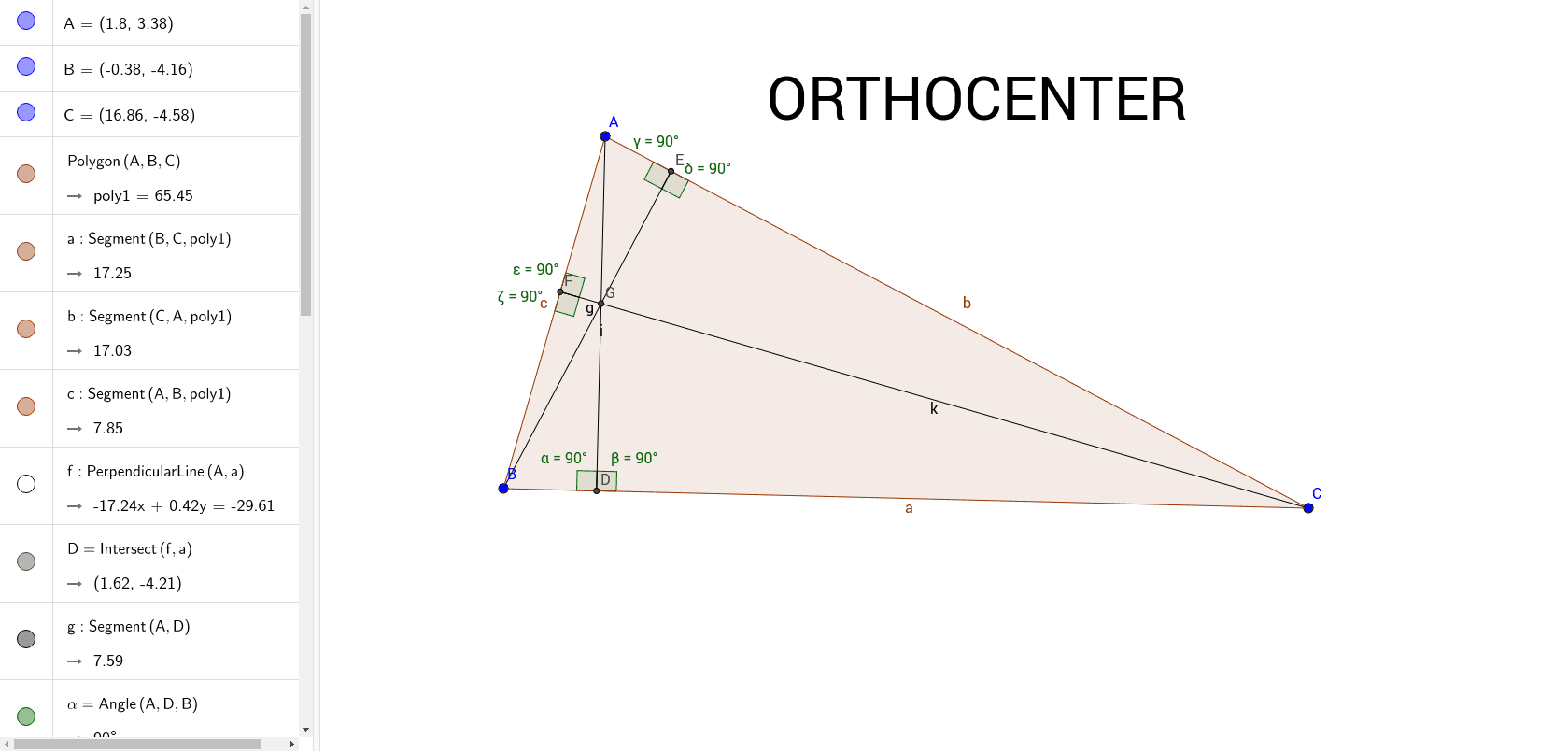
This GeoGebra example demonstrates how to construct the orthocenter of a triangle, the common intersection of the three altitudes. It highlights core geometry concepts such as triangles, altitudes, perpendicular lines, intersections, angle marking, and the changing position of the orthocenter in acute, right, and obtuse triangles. The construction uses Polygon to create triangle ABC, OrthogonalLine to draw the altitude through each vertex perpendicular to the opposite side, Intersect to locate the orthocenter, Segment to connect relevant points, and Angle to label angles such as α, β, and γ. It is suitable for middle-school geometry, high-school coordinate geometry, classroom demonstrations, or student exploration of triangle centers and perpendicular relationships.
GeoGebra Commands & Parameters
Polygon(A, B, C) → poly1, c, a, bOrthogonalLine(A, a) → fIntersect(f, a) → DSegment(A, D) → gAngle(A, D, B) → αAngle(C, D, A) → βOrthogonalLine(B, b) → hIntersect(h, b) → ESegment(B, E) → iOrthogonalLine(C, c) → jIntersect(j, c) → FSegment(F, C) → kAngle(A, E, B) → γAngle(B, E, C) → δAngle(C, F, A) → εAngle(B, F, C) → ζIntersect(k, i) → G
AI Drawing Prompt Reference
Draw a triangle and construct the altitudes by drawing perpendicular lines from each vertex to the opposite side, marking the feet of the altitudes. Connect each vertex to its corresponding foot to form the three altitudes. Identify the intersection point of the altitudes, which is the orthocenter of the triangle. Label the measures of the three interior angles and observe how the orthocenter's position changes in acute, right, and obtuse triangles.
The prompt above was compiled from the original drawing commands and is for reference only.