
Constructing One-Variable Equations
Loading the math board and drawing, please wait…
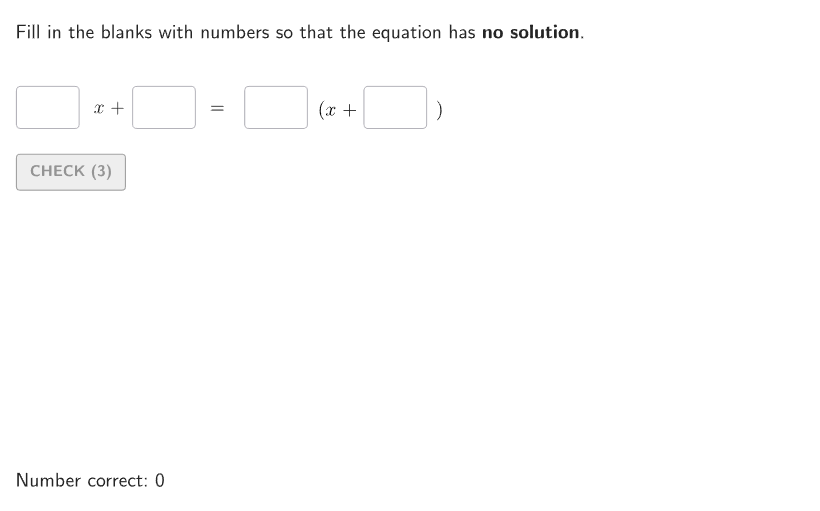
This example demonstrates how to construct one-variable equations with 0, 1, or infinite solutions by adjusting the slope and intercept of lines. Key math concepts include the solutions of linear equations. GeoGebra commands used include Shuffle, Element, Polynomial, etc. Suitable for 6-8 grade students.
GeoGebra Commands & Parameters
Shuffle(Flatten[{Sequence[3], Sequence[3], Sequence[3]}]) → randomList2, {2, 2, 1, 1, 1, 3, 2, 3, 3}Shuffle(Flatten[{Sequence[4], Sequence[4], Sequence[4]}]) → randomList1, {2, 3, 4, 1, 2, 3, 1, 4, 4, 1, 2, 3}Element(randomList2, Mod[countQuestion, Length[randomList2]] + 1) → randomNum2Polynomial((a * x) + b) → leftElement(randomList1, Mod[countQuestion, Length[randomList1]] + 1) → randomNum1Polynomial(Element[{g1, g2, g3, g4}, randomNum1]) → rightPolygon(Zip[PixelsToPoint[Corner[1], Corner[3], Corner[5], A], A, {(pixelsLeft, pixelsTop), (pixelsLeft, y(Corner[5]) - pixelsBottom), Corner[5] - (pixelsRight, pixelsBottom), (x(Corner[5]) - pixelsRight, pixelsTop)}]) → borderBoxCorner(5) → layoutAppSizeRemoveUndefined({a, b, c, d, f, g}) → inputCurrentTextfield(a) → InputBox1Textfield(b) → InputBox2Textfield(c) → InputBox3Textfield(d) → InputBox4Textfield(f) → InputBox5Corner(5) → AppSizeIf(randomNum1 ≠ 4, 352, 320) → PosXIB4If(randomNum1 ≠ 4, 420, 495) → PosXText4Textfield(g) → InputBox6Translate(hguideline, Vector[(Vector[Corner[4], Corner[1]] / 500 * 24)]) → hguideline24Polynomial((If[randomNum2 ≟ 1, aAlt, a] * x) + If[randomNum2 ≟ 2, bAlt, b]) → rightSol
AI Drawing Prompt Reference
Draw a coordinate plane with randomly generated lines, adjusting their slopes and intercepts to show equations with 0, 1, or infinite solutions. Include randomly selected numbers and polynomials, with different colors for the left and right sides of the equations, and text boxes to display parameter values. Start by drawing the lines, then mark the random numbers and polynomials, and finally adjust their positions and sizes to fit the interface.
The prompt above was compiled from the original drawing commands and is for reference only.