
Constructing an Elliptic Orbit with Discrete/Derivative-Linked Motion
Loading the math board and drawing, please wait…
In collections
El dominio del Tiempo (cinemática intuitiva)
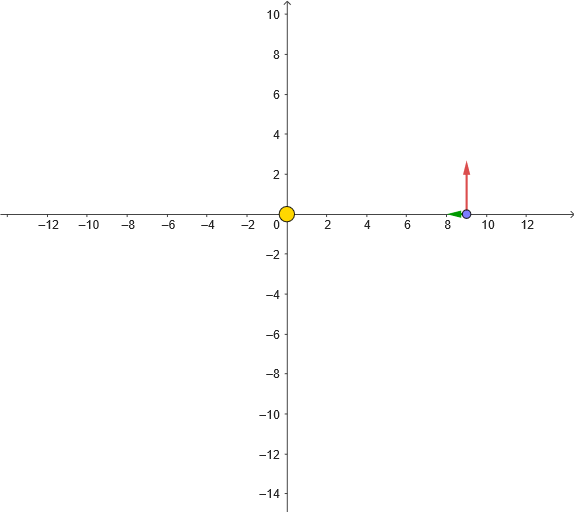
This example demonstrates how to construct an elliptic orbit in the plane and how the geometry evolves by linking discrete differences (finite steps) to velocity/tangent-like relations. It highlights key ideas such as ellipses, symmetry, distance-based computations, point parameterization, and vector geometry (including slope/finite-difference notions: diferencia y pendiente), along with line construction (rectas) and a centroid/center concept (baricentro). The workflow also reflects a differential-equation viewpoint (ecuación diferencial) using controlled limits and parameter evolution to form a continuous approximation from discrete updates. Construction elements extracted from the GeoGebra command summary include: If for conditional update logic, mean for averaging/obtaining intermediate points, Distance for step size or distance measurements, and PolyLine to connect points and render the orbit. Animation and control are driven by objects such as anima/animacion and time parameters t, t0, t1, T, tt, dt, along with velocity-related variables (vel, v_0) and reinitialization/pausing controls (reinicia, empieza, tPausa, tPausaAux). Additional objects like reg, regDif, regM, pol, M, S, d, g, and display aids (verEjes, texto1) organize the computed orbit points, difference quantities, and on-screen presentation. Suitable for advanced high school through early university, for teaching coordinate geometry, locus/trajectory visualization, vector-based slope/difference interpretation, and connecting discrete numerical steps to continuous differential behavior.
GeoGebra Commands & Parameters
If(Length[reg] ≟ 1, {reg(1)}, Sequence[reg(k) - reg(k + 1), k, 1, Length[reg] - 1]) → regDifmean(regDif) → TDistance(M, S) → dPolyLine(regM) → pol
AI Drawing Prompt Reference
Construct an elliptic orbit by connecting a series of points. First, calculate the differences between adjacent points in the sequence, then take the average of these differences as velocity. Next, compute the distance from a point on the orbit to the center point. Finally, use these points to draw a polyline representing the orbit.
The prompt above was compiled from the original drawing commands and is for reference only.