
Constructing a Parallelogram
Loading the math board and drawing, please wait…
In collections
Parallelogramm und Raute: Eigenschaften und Konstruktionen
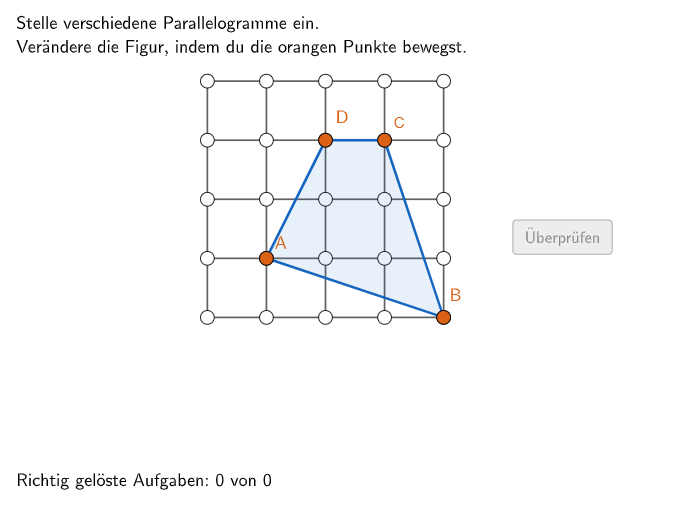
This example demonstrates how to construct a parallelogram using geometric tools. Key mathematical concepts include parallel lines, angles, and polygons. Using GeoGebra commands such as Join, Polygon, and Vector, students can learn to accurately construct special quadrilaterals. Suitable for 5-6 grade students to practice geometric construction.
GeoGebra Commands & Parameters
Join(Sequence[Shuffle[{1, 2, 3, 4, 5, 6, 7}], i, 1, 20]) → listNumSolutionFlatten(Sequence[Sequence[P + ((c * widthcell) * (1, 0)) + ((r * heightcell) * (0, 1)), c, 0, cells], r, 0, cells]) → gridPointsUnique(val) → valsinglePoint(gridPoints) → APoint(gridPoints) → BPoint(gridPoints) → CPoint(gridPoints) → DPolygon(A, B, C, D) → vieleck1, a, b, c, dAngle(Polygon[A, B, C, D]) → α, β, γ, δCountIf(M ≟ Join[aktuell], M, val) → countSameTextfield(input1) → InputBox1Textfield(input2) → InputBox2Polygon(PtopLeftCornerFeedback, PtopRightCornerFeedback, PbottomRightCornerFeedback, PbottomLeftCornerFeedback) → rectangleCorrect, rectangleCorrectS3, rectangleCorrectS4, rectangleCorrectS2, rectangleCorrectS1Shuffle(Sequence[Random[0, 10], i, 1, 100]) → randomNosForX, {9, 4, 10, 10, 3, 6, 6, 4, 0, 4, 0, 7, 0, 7, 2, 5, 9, 8, 2, 8, 1, 5, 4, 2, 10, 4, 7, 8, 2, 2, 10, 6, 5, 5, 2, 6, 1, 0, 9, 5, 9, 6, 0, 5, 4, 5, 4, 5, 1, 9, 9, 10, 1, 3, 6, 0, 4, 2, 4, 0, 0, 2, 10, 6, 7, 2, 1, 8, 4, 1, 10, 7, 9, 10, 9, 9, 0, 3, 4, 7, 1, 6, 0, 1, 6, 8, 8, 8, 3, 2, 5, 3, 3, 3, 10, 0, 10, 8, 6, 1}Element(randomNosForX, Mod[questionCount, 100] + 1) → numXShuffle(Sequence[Random[0, 10], i, 1, 100]) → randomNosForY, {5, 8, 1, 4, 6, 8, 2, 7, 8, 7, 7, 10, 9, 3, 8, 6, 5, 0, 6, 3, 8, 10, 0, 4, 10, 6, 3, 8, 10, 0, 6, 6, 5, 4, 5, 2, 3, 4, 1, 1, 1, 9, 5, 5, 4, 4, 1, 10, 10, 8, 0, 0, 5, 7, 6, 6, 3, 9, 4, 9, 1, 1, 6, 10, 6, 0, 5, 8, 10, 0, 7, 3, 7, 2, 5, 6, 8, 5, 1, 7, 0, 9, 1, 5, 5, 10, 10, 5, 10, 2, 7, 9, 0, 6, 0, 1, 9, 5, 9, 4}Element(randomNosForY, Mod[questionCount, 100] + 1) → numYAppend(true, Sequence[If[randomNosForX(i) ≟ randomNosForX(i - 1), false, true], i, 2, 100]) → stayXAppend(true, Sequence[If[randomNosForY(i) ≟ randomNosForY(i - 1), false, true], i, 2, 100]) → stayYRemove(Sequence[If[stayX(i), randomNosForX(i), 0], i, 1, 100], Sequence[0, i, 1, 100]) → randomNosForXwithoutRepeatRemove(Sequence[If[stayY(i), randomNosForY(i), 0], i, 1, 100], Sequence[0, i, 1, 100]) → randomNosForYwithoutRepeatElement(randomNosForXwithoutRepeat, Mod[questionCount, Length[randomNosForXwithoutRepeat]] + 1) → numXwithoutRepeatElement(randomNosForYwithoutRepeat, Mod[questionCount, Length[randomNosForYwithoutRepeat]] + 1) → numYwithoutRepeatElement(gridPoints, g) → PunktVersuchVector(A, B) → v1Vector(A, D) → v2Angle(v1, v2) → alphaLaTeX(isSquare, true, true) → Text1LaTeX(isRectangle, true, true) → Text2LaTeX(isParallel, true, true) → Text3Length(val) → lengthvalIf(Defined[valsingle], Length[valsingle], 0) → lengthvalsingleLaTeX(isRhombus, true, true) → Text11LaTeX(sameInput, true, true) → Text12Polygon(listSolutionPoints) → vieleckSolution
AI Drawing Prompt Reference
Draw a parallelogram to demonstrate its construction. First, mark four vertices on a grid using the point tool, then connect these points to form the parallelogram. Next, label the opposite sides and interior angles of the parallelogram, and calculate the lengths of the diagonals. Finally, use vector tools to represent the side vectors of the parallelogram and verify that opposite sides are parallel.
The prompt above was compiled from the original drawing commands and is for reference only.