
Constructing a Parallelogram by GeoGebra Team
Loading the math board and drawing, please wait…
In collections
Learn Geometry
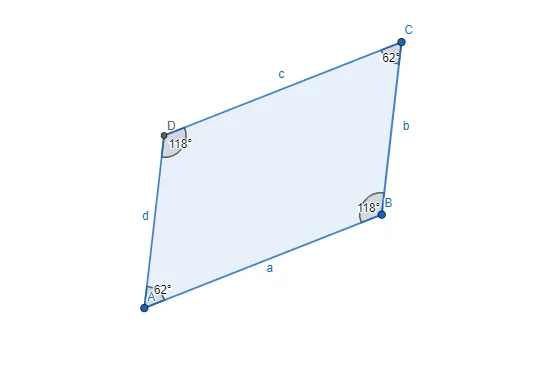
This example demonstrates how to construct a complete parallelogram in GeoGebra starting from a segment and a point, by drawing parallel lines. The core mathematical concepts are the definition and properties of a parallelogram, including opposite sides parallel and equal, opposite angles equal, and the sum of interior angles being 360 degrees. Construction highlights: from the construction summary, the commands used are Line (to create sides and auxiliary lines), Intersect (to determine vertices C and D), Polygon (to form the quadrilateral), and InteriorAngles (to display the four interior angles α, β, γ, δ); objects include points A, B, C, D, lines f, g, h, i, vector v1, and sides a, b, c, d. This is suitable for middle school geometry teaching or beginners learning dynamic geometry construction, helping students intuitively understand the construction logic and verify properties of parallelograms.
GeoGebra Commands & Parameters
Line(A, B) → fLine(B, C) → gLine(C, f) → hLine(A, g) → iIntersect(i, h) → DPolygon(A, B, C, D) → v1, a, b, c, dInteriorAngles(v1) → α, β, γ, δ