
Constructing a Parabola with Parameters
Loading the math board and drawing, please wait…
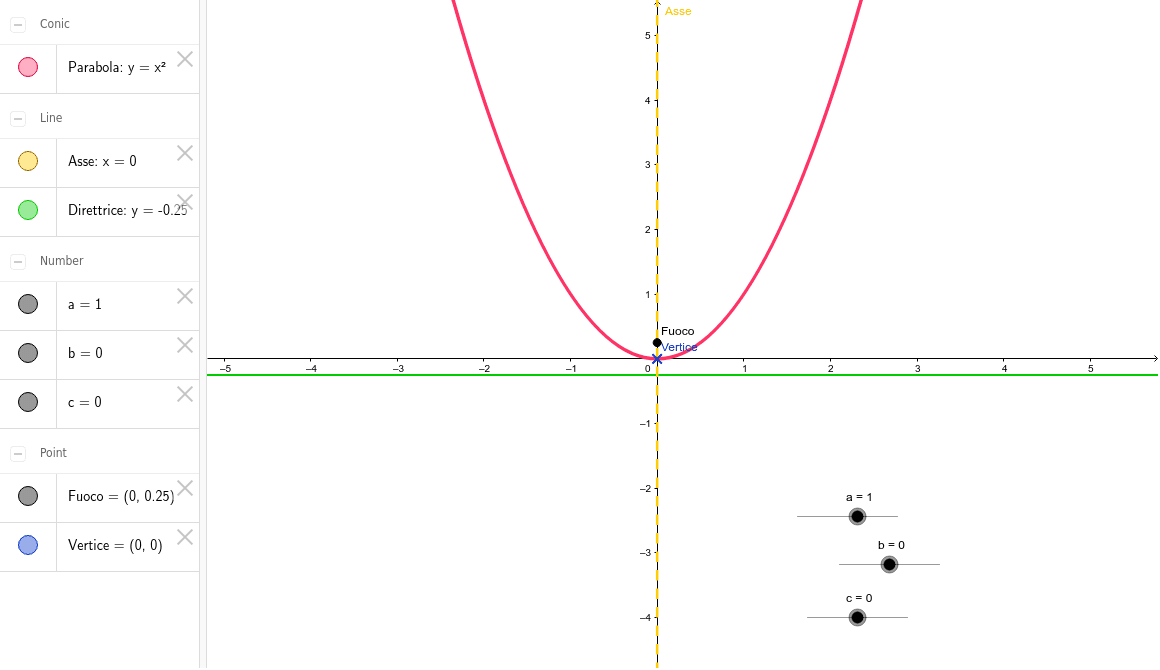
This example demonstrates how to dynamically construct a parabola and its related elements using parameters a, b, and c. Key math concepts include quadratic functions, parabola definition (focus and directrix), vertex, and parameter equations. GeoGebra commands used to construct objects like a, b, c, parabola, vertex, ac segment, focus, directrix, and axis of symmetry are highlighted. Suitable for high school mathematics education to understand the relationship between parabola parameters and geometric properties.
GeoGebra Commands & Parameters
Numeric a(1.0)Numeric b(0.0)Numeric c(0.0)y = a * x^(2) + b * x + c((-b) / (2 * a), (-(b^(2) - 4 * a * c)) / (4 * a))a * c((-b) / (2 * a), (1 - (b^(2) - 4 * ac)) / (4 * a))y = (-(1 + b^(2) - 4 * ac)) / (4 * a)x = (-b) / (2 * a)
AI Drawing Prompt Reference
Draw a dynamic parabola with parameters a, b, c set to 1, 0, 0 respectively. Show the parabola, vertex, focus, directrix, and axis of symmetry. The parabola is defined by the equation y=ax^2+bx+c. The vertex is at (-b/2a, -(b^2-4ac)/4a). Draw the focus and directrix based on the parabola's definition, and the axis of symmetry as x=-b/2a.
The prompt above was compiled from the original drawing commands and is for reference only.