
Construct Parallel Lines
Loading the math board and drawing, please wait…
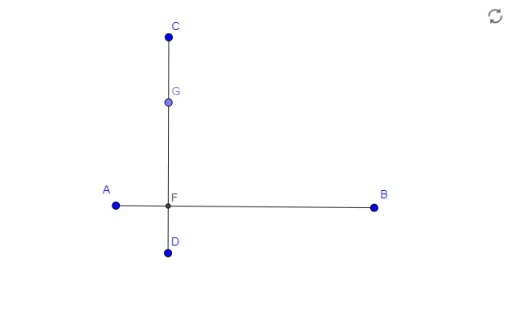
This GeoGebra example demonstrates the construction of parallel lines, focusing on core mathematical concepts such as the properties of parallel lines, geometric relationships between points and lines, and fundamental construction techniques. The construction process utilizes commands like Segment to draw line segments, Intersect to find intersection points, and Point to establish key vertices; objects involved include points E, A, B, C, D, F, G and lines f_1, g_1, which together form the parallel line system. Ideal for middle school or high school geometry education, this example serves as a practical tool for teaching geometric construction skills and enhancing understanding of parallel line theory.
GeoGebra Commands & Parameters
Segment(A, B) → f_1Segment(C, D) → g_1Intersect(f_1, g_1) → FPoint(g_1) → G
AI Drawing Prompt Reference
Draw two parallel lines by first creating a line segment f1 through points A and B, then creating another line segment g1 through points C and D, which intersect at point F. Finally, pick a point G on line segment g1.
The prompt above was compiled from the original drawing commands and is for reference only.