
Construct an Ellipse: Geometric Construction Using Circles, Points, and Perpendi
Loading the math board and drawing, please wait…
In collections
Constructing Graphs of Conic Sections
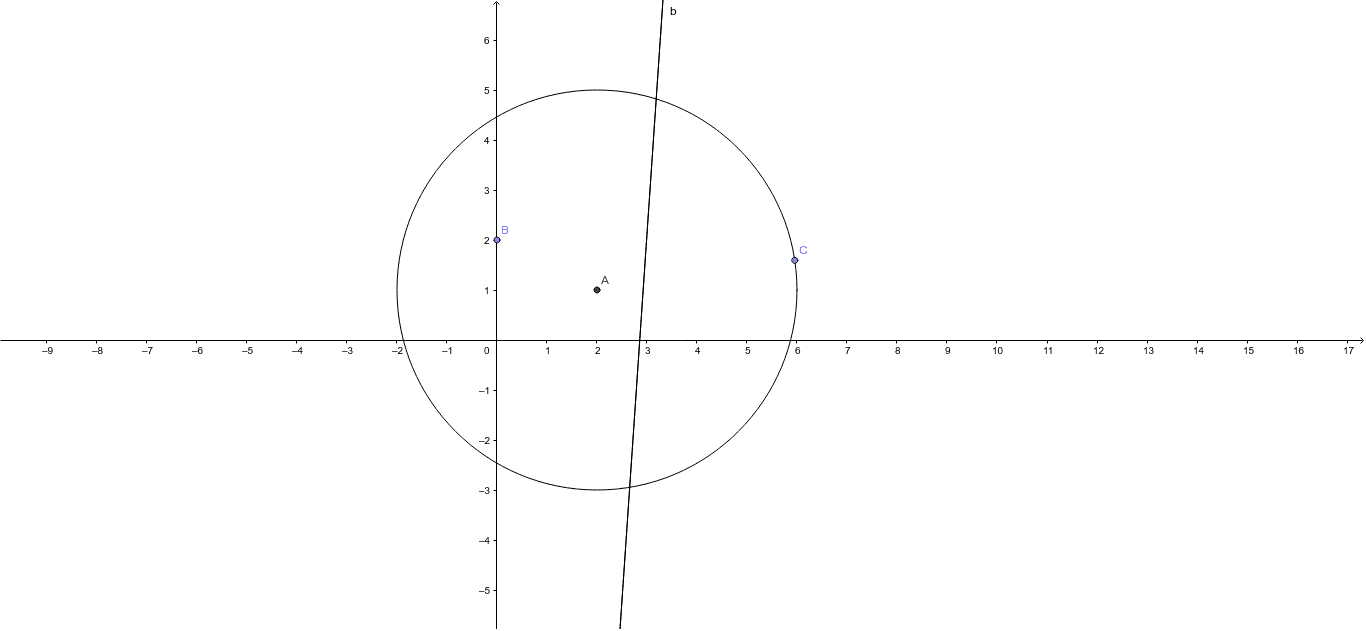
This GeoGebra example demonstrates how to construct an ellipse through a purely geometric method, illustrating the fundamental definition of an ellipse as the locus of points where the sum of distances to two foci is constant. The core mathematical concepts involved include the definition of an ellipse, properties of circles, midpoints and perpendicular bisectors of segments, and the idea of locus. The construction uses GeoGebra commands such as Circle, Point, Line, and LineBisector, with objects including circle A, points B and C, and lines a and b. The typical steps involve drawing a circle, taking a moving point on it, connecting this point to two fixed foci, and using perpendicular bisectors to enforce equal distances, thereby generating points on the ellipse. This example is suitable for high school analytic geometry or geometric construction lessons, helping students intuitively understand the definition and construction of an ellipse. It can be used for classroom demonstrations or student self-exploration.
GeoGebra Commands & Parameters
Circle(A, 4) → cPoint(yAxis) → BPoint(c) → CLine(B, C) → aLineBisector(C, B) → b